

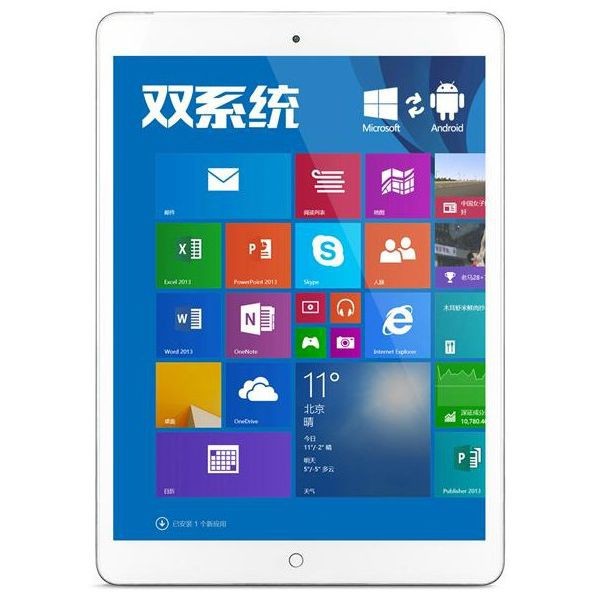
The Onda tablet A919 is clearly a copy of the iPad. But by default the language is Chinese! In my example I'll set the language to French.
Real-world use case
Your Onda A919 tablet boots up in the wrong language: here's how to change the default one.
Onda tablet
My former company sells a few of these devices, and it had asked me to test the model: AIR 919 3G multi-boot with Android 4.4 and Windows 8.1. I can say it's quite similar to an iPad, and we're going to see how to change the language on Windows, in my example to French.
Onda v919 3G Air
This Chinese clone looks very similar to an Apple device with its components: touchscreen (Retina), processor, memory, and storage. For more details, here's a review with Windows at (8:48):
Onda tablet add others language
The technical steps will only take you a few minutes. On first boot you'll land on Android, but you need to switch to Windows.
To do this, use Android's notification center. After doing this, you'll notice everything is in Chinese. On startup we have no choice, we notice that only one account is available (named: ONDA). We click the desktop icon and then connect to Wi-Fi to follow the steps:
We need an internet connection to download the language; a document is available on your desktop named: frequently asked questions.pdf (it will help you).
Our method for navigating the Chinese interface will be to identify the icons one by one.
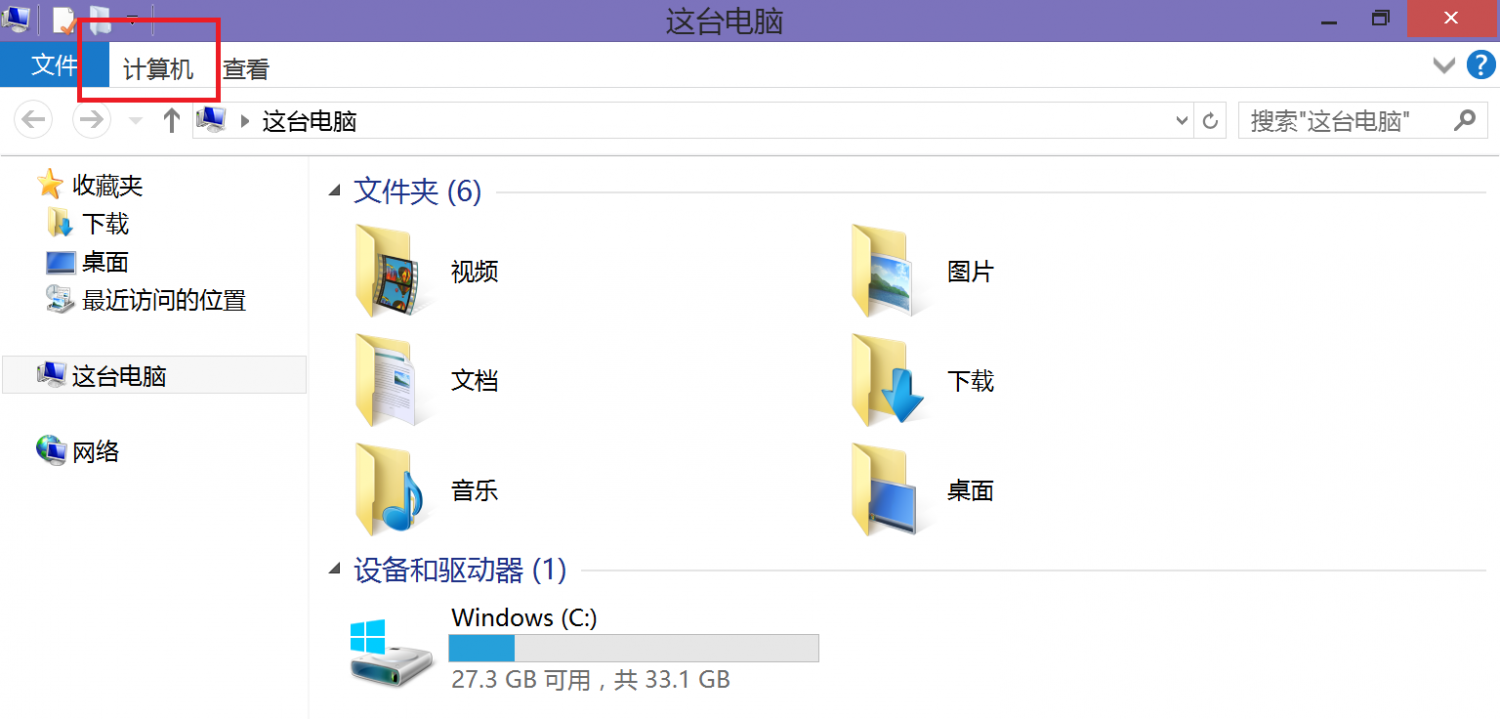
Click the My PC icon and follow the red square in the screenshot below:
You'll then recognize the control panel and its various settings:
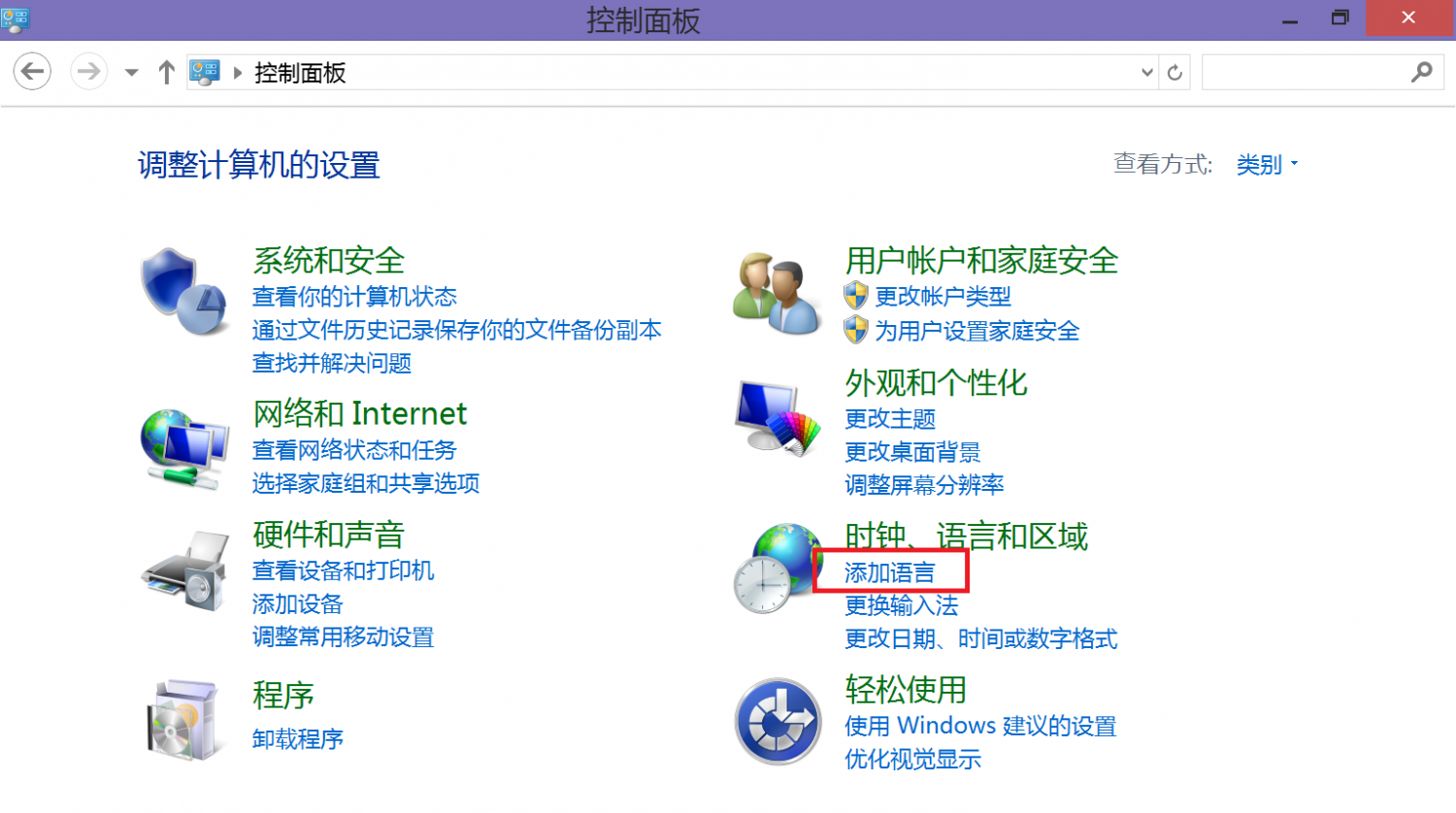
Time to add our language:
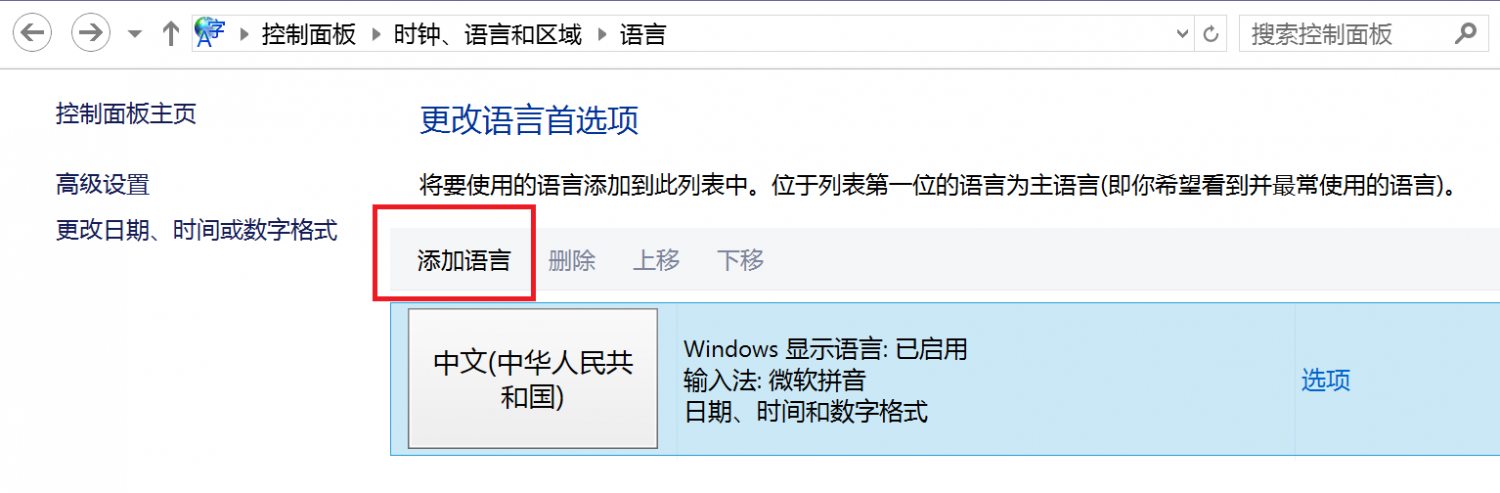
After making this choice, click the option button on the right:
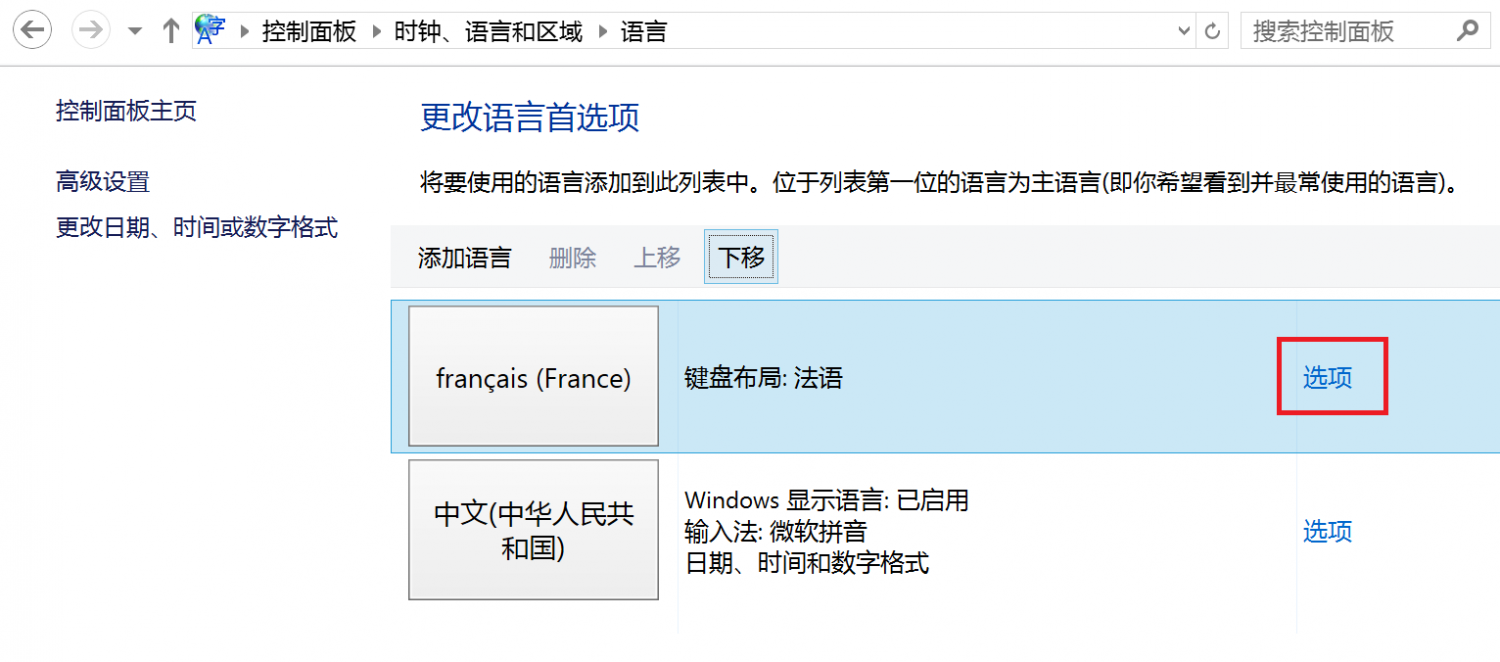
We need to finish our installation:
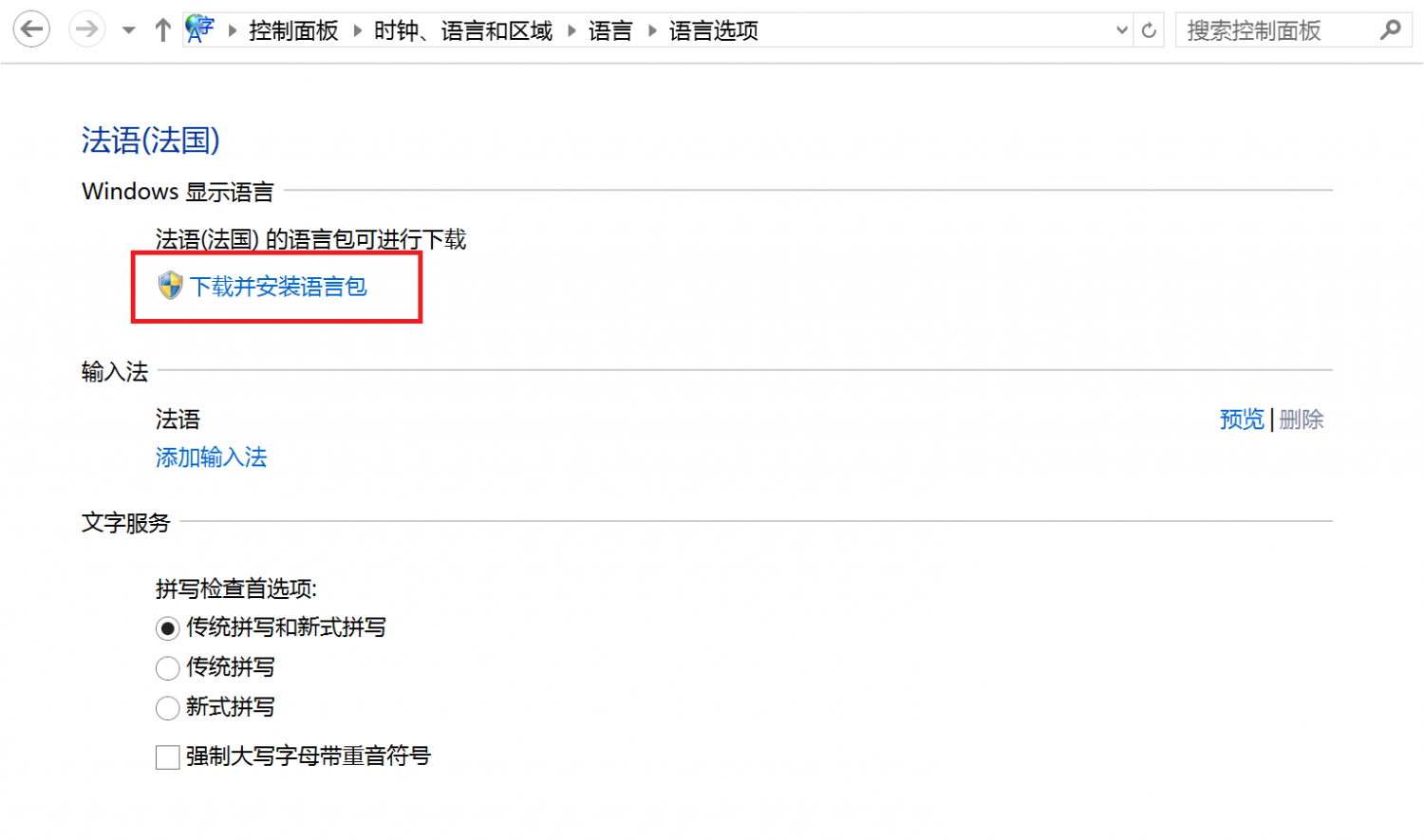
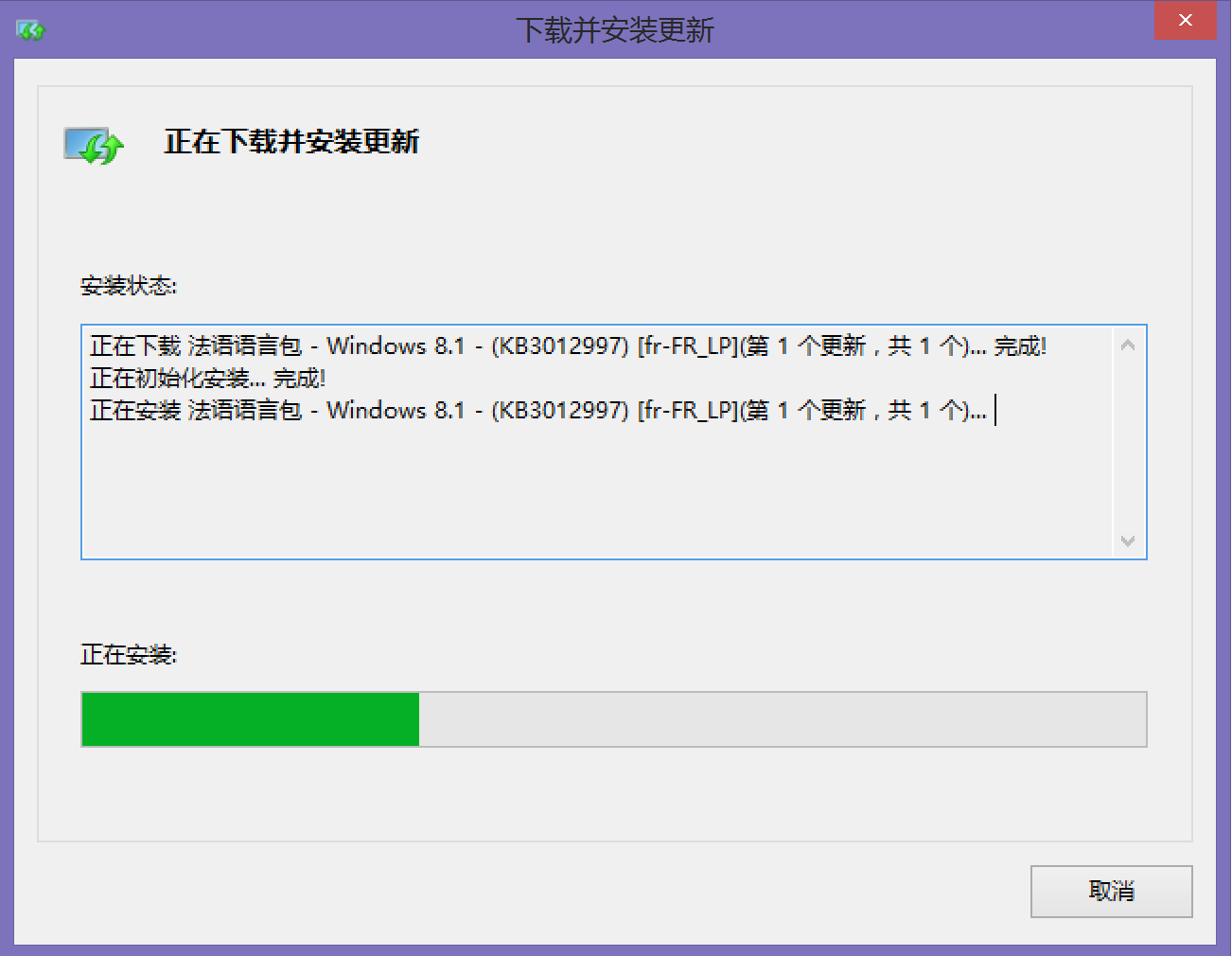
Follow the next steps and wait a few minutes:
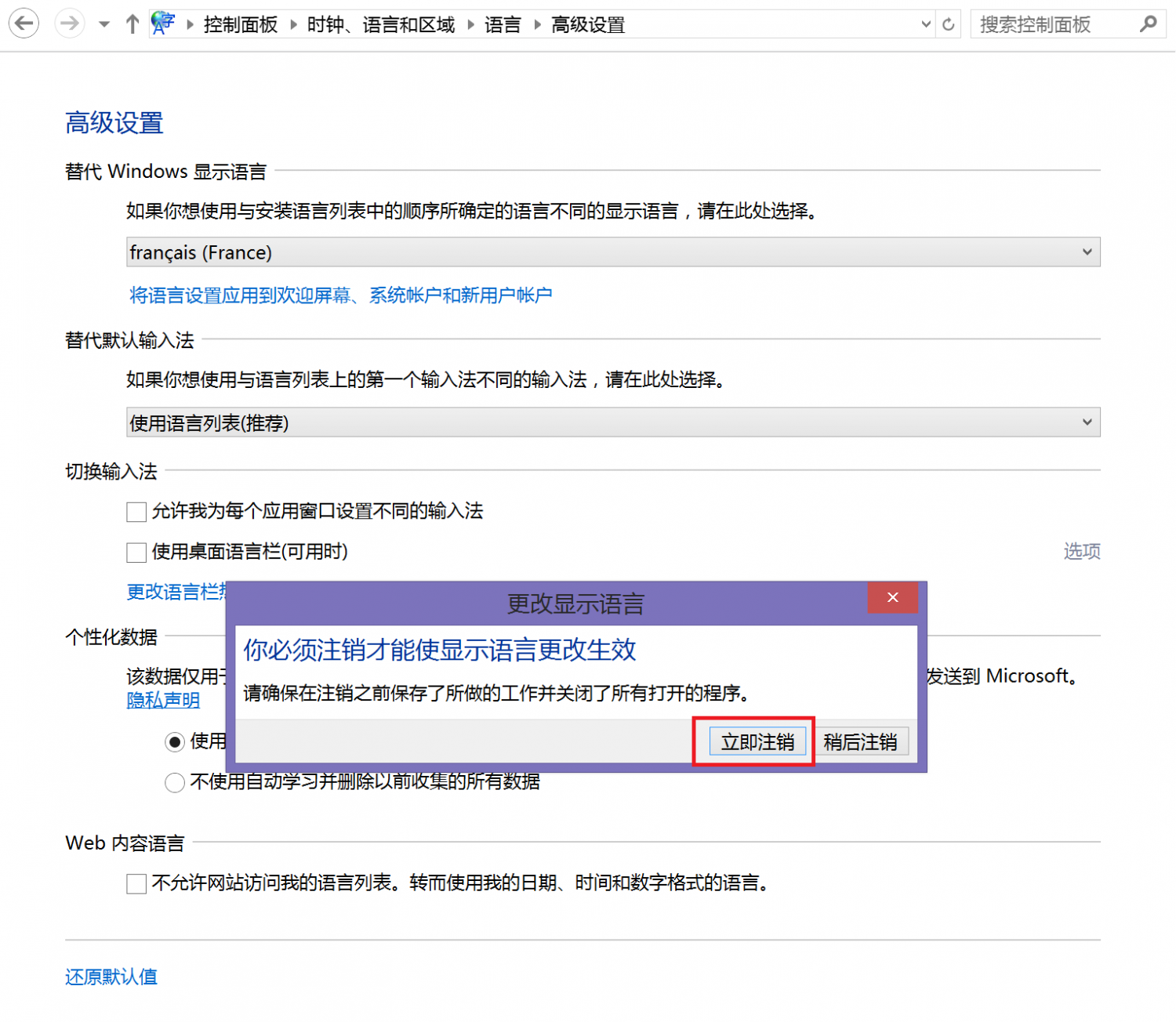
Then you can remove the Chinese language and enable the advanced option for the French language:
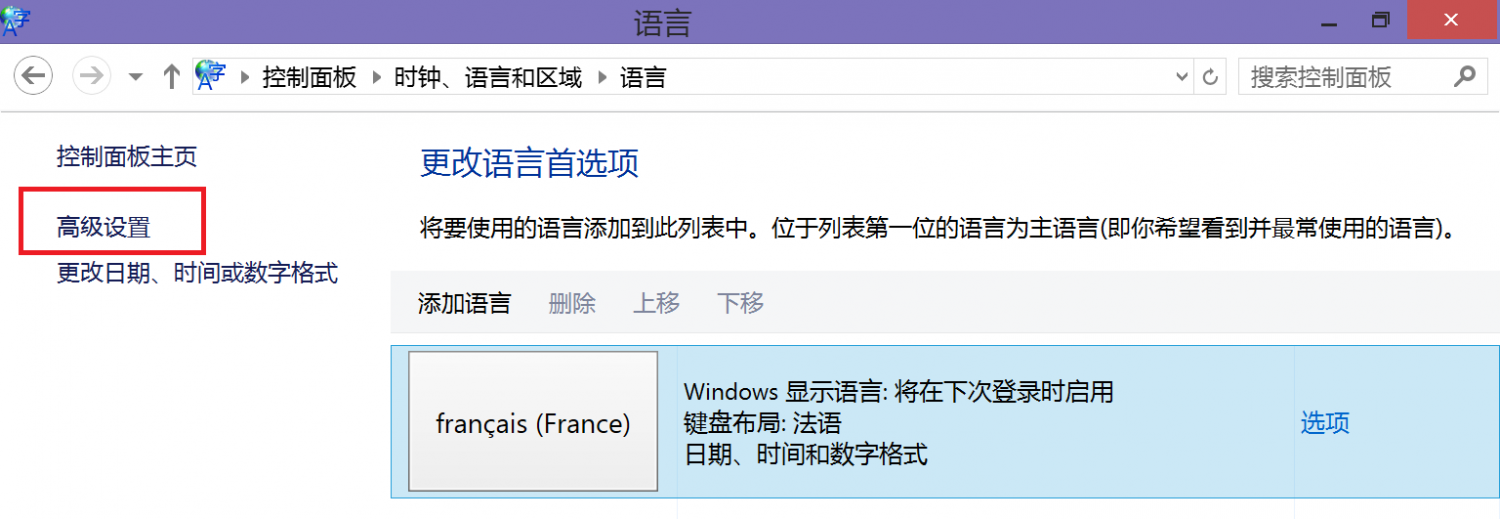
To finish the configuration, choose the French language from the menu:
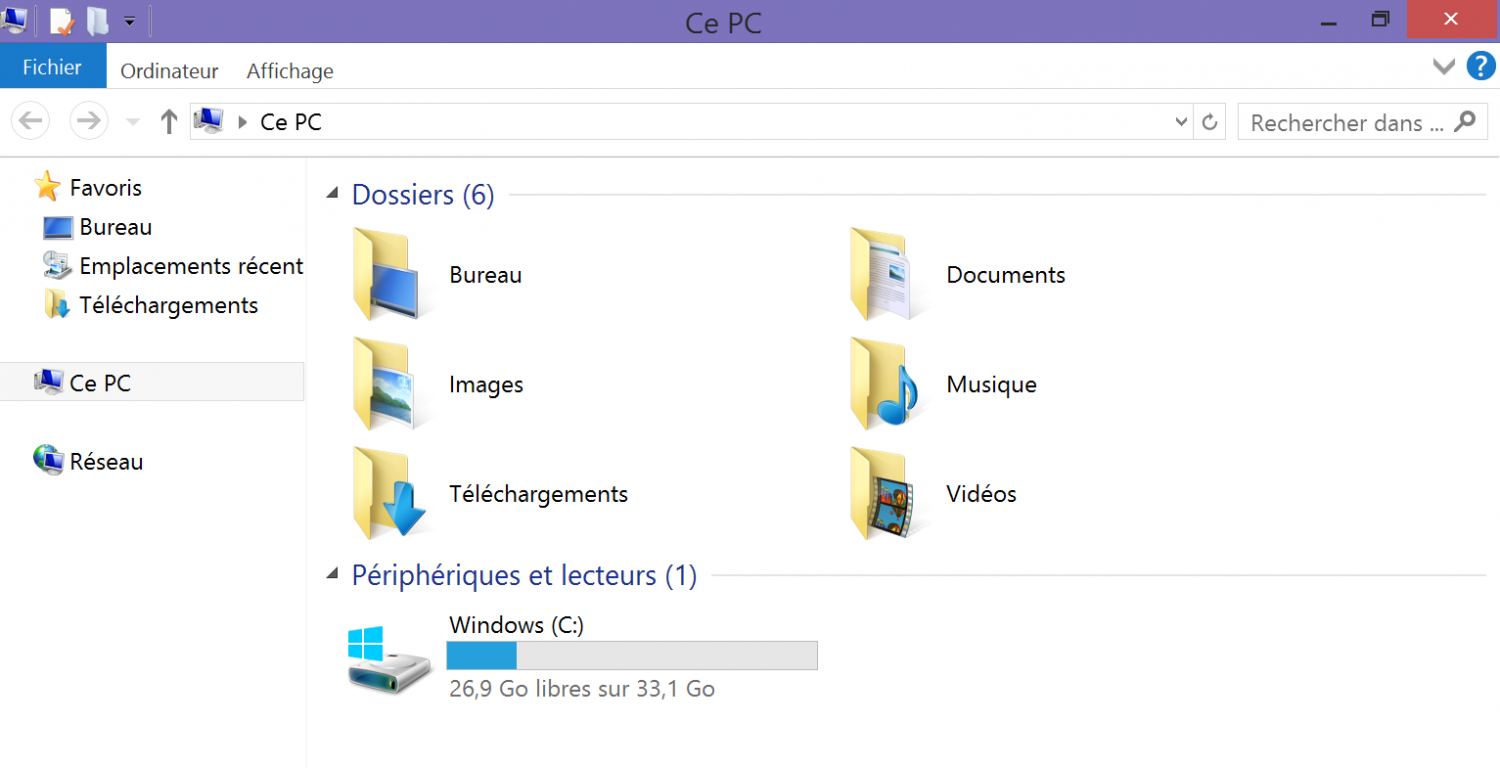
Once restarted, the Onda tablet is ready:
To sum up, the Onda tablet is a very good deal, but the Chinese language is quite frustrating for a lot of people. Thanks to this little tutorial, you can now change it. Enjoy.