


Network management via vCenter is an important function. Discover how to get started with distributed vSwitches.
Real-world use case
You manage several ESXi hosts and want to centralize network configuration: here's how vCenter's distributed vSwitch works.
VMware vCenter: Distributed vSwitch
In a vCenter infrastructure, network management is critical, so it can be worth using distributed virtual switches (dvSwitches). As the name suggests, their role is to distribute the network across all ESXi hosts. So a vSwitch becomes a dvSwitch, and a portgroup becomes dvports. In this case, we'll deploy a single vSwitch distributed across all our hosts, with no VM migration (here's an example):
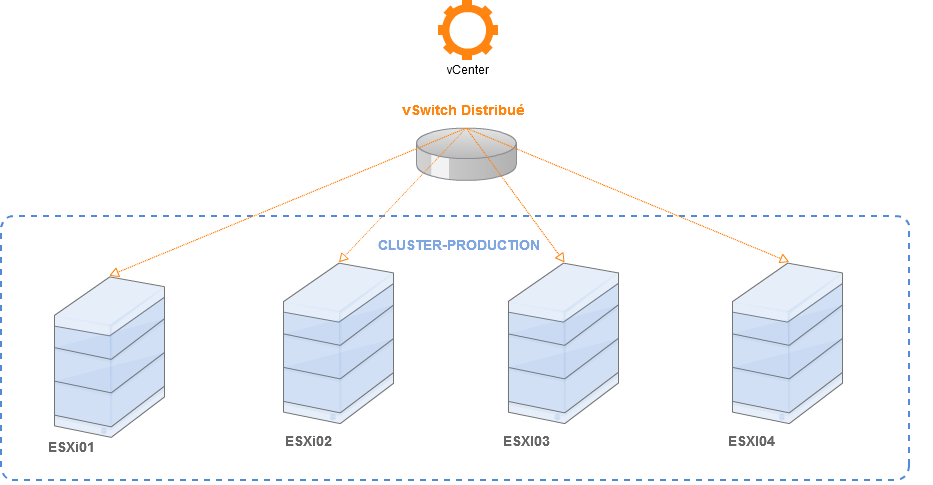
Info: For this article, we're using two ESXi hosts with four network cards each.
Discover for yourself:
- Prerequisites.
- Configuring a dvSwitch.
- Configuring a dvPort.
- Additional features.
Prerequisites
We'll be working in a cluster running vCenter 5.5, with existing host networking such as:
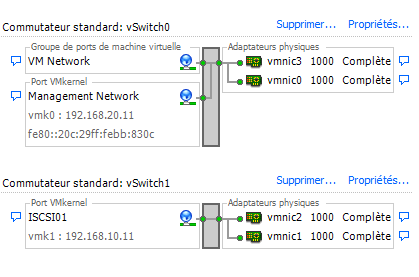
- A vSwitch0 made up of two portgroups: VMkernel and VMnetwork, with 2 cards (vmnic0 and vmnic2) teamed together.
- A vSwitch1 made up of one portgroup: ISCSI with 2 cards (vmnic1 and vmnic3) already configured with multipathing.
Info: The vCenter VM must be accessible via a shared storage pool to avoid any network outage.
Configuring the dvSwitch
To do this, we'll use the vSphere client and connect to our vCenter.
Go to Home/Inventory/Networking, then New Distributed Switch…:
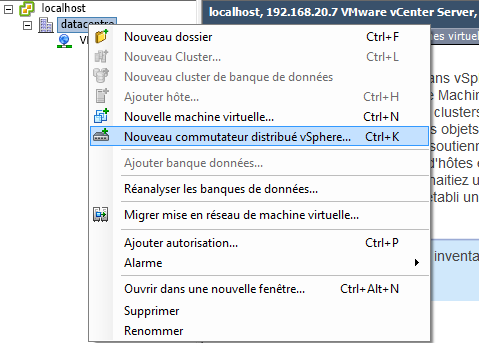
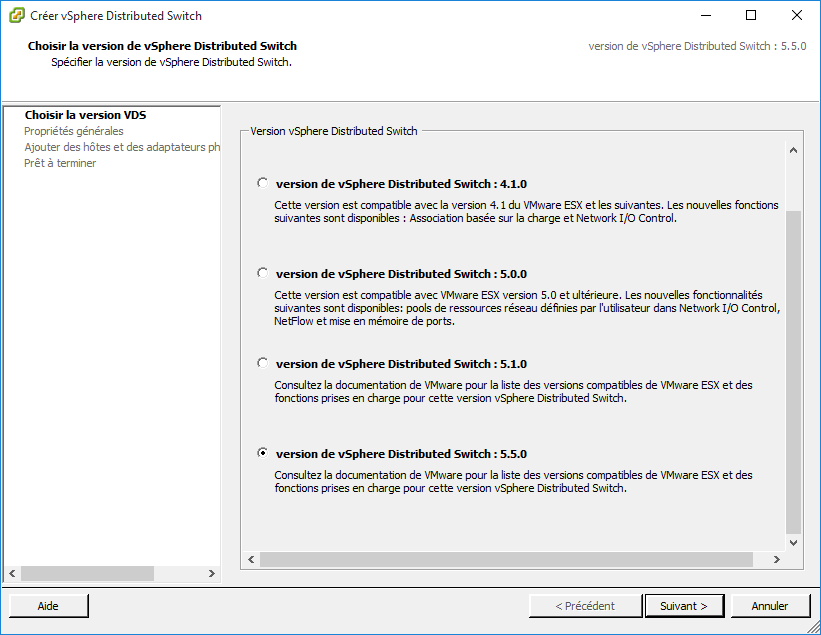
A wizard will guide us through the creation; we choose version 5.5.0:
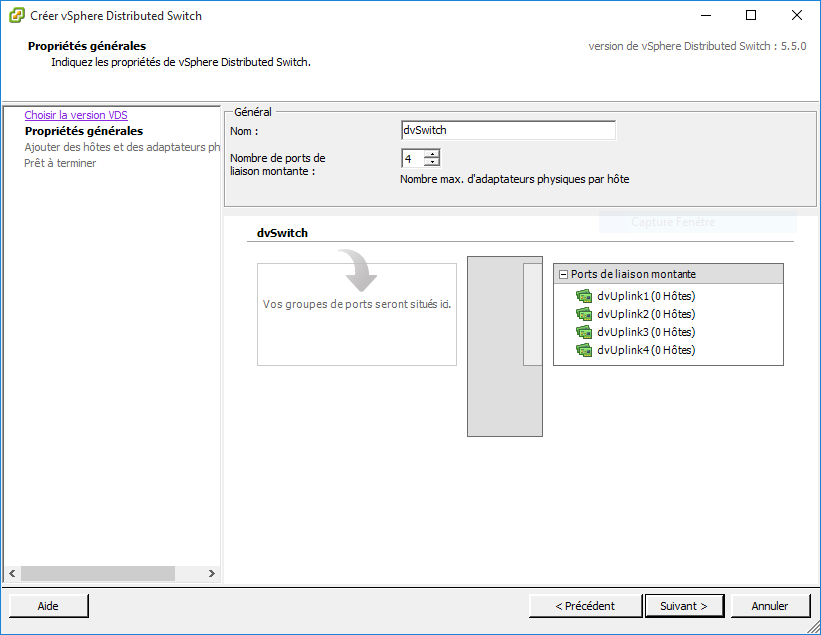
We select the name as well as the number of dvUplink connections.
In our case, we'll use four (that's the maximum number of cards we have):
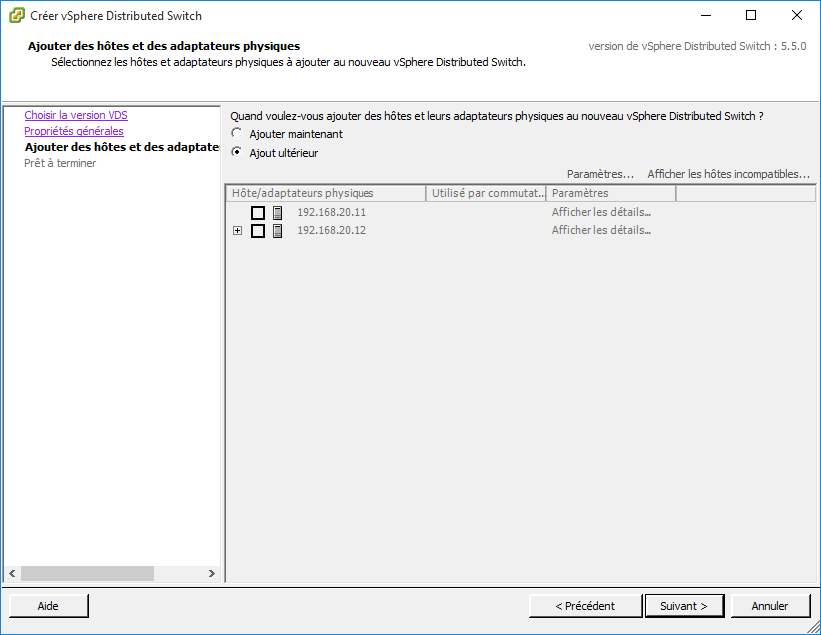
In our configuration, we choose not to add our hosts:
We also don't add any dvport, so uncheck automatically create a default port group:
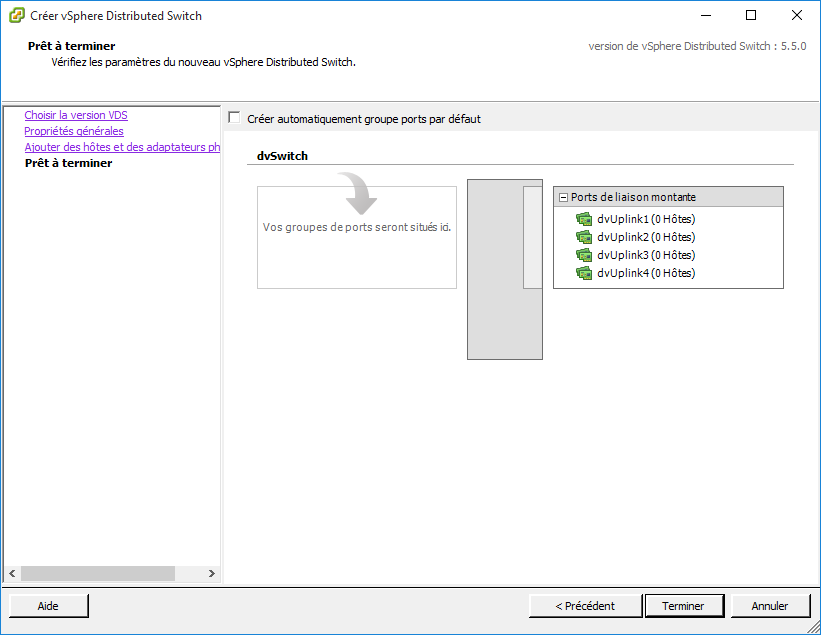
Success! The dvSwitch has been created.
Configuring the dvport
Once our dvSwitch is set up within our cluster, we'll need to recreate our existing port groups: VM Network, Management Network, and ISCSI01:
To do this: go to Home/Inventory/Networking, then on the dvSwitch, in the configuration tab:

To create our different dvgroups, click on New Port Group, here's an example (without VLAN):
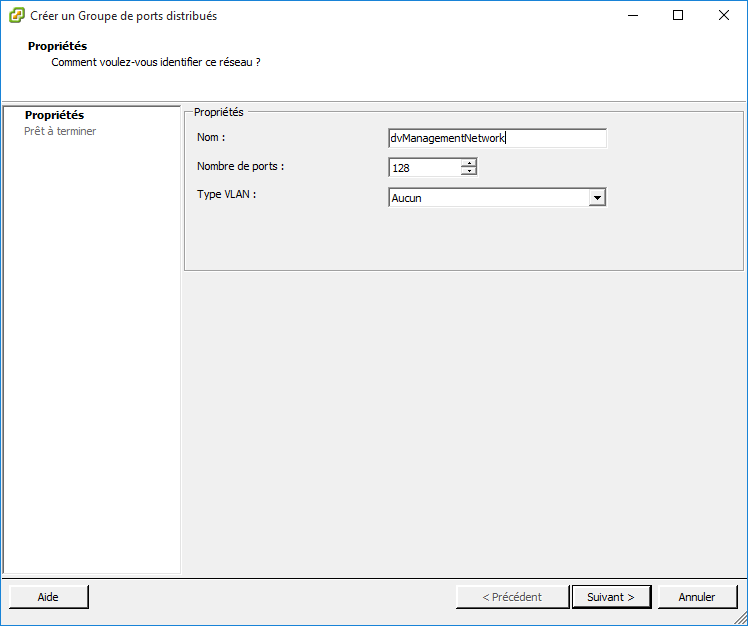
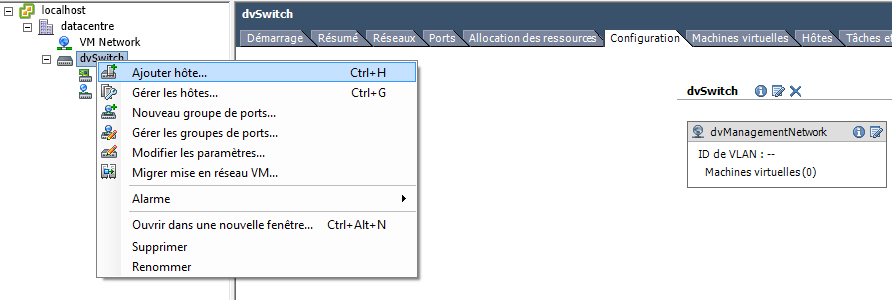
Once done, we'll add our hosts to the dvSwitch like this:
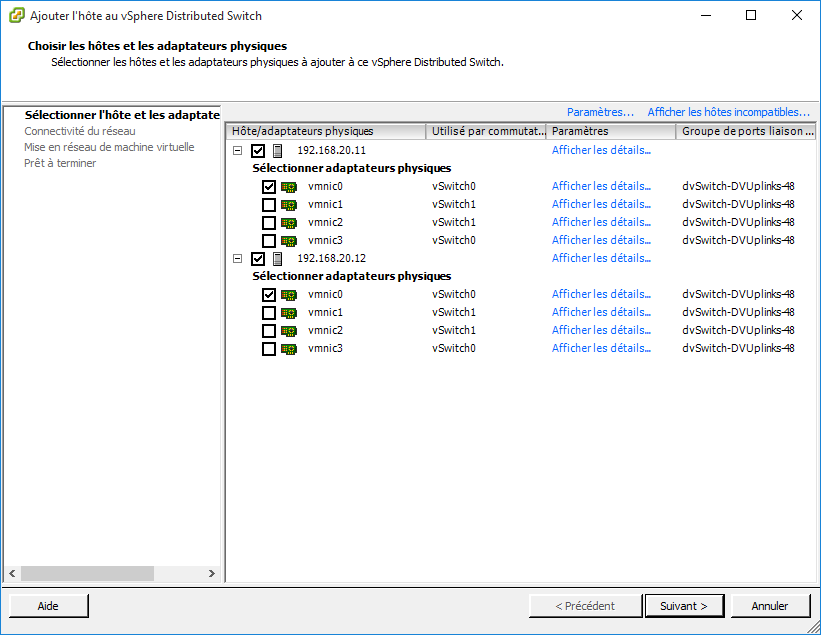
Both our hosts should be selected, as well as the vmnic0 card:
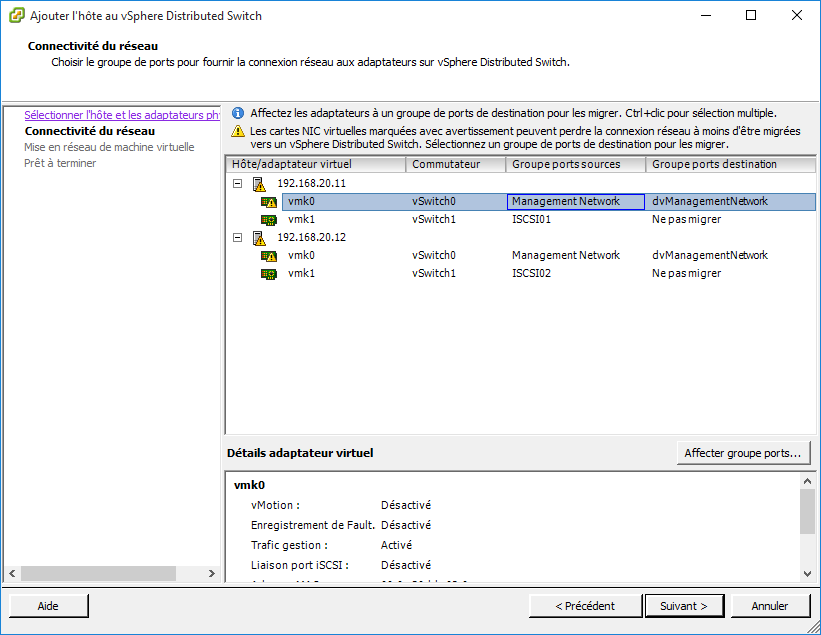
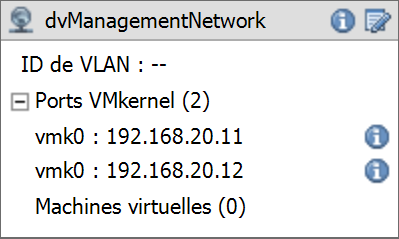
We'll now migrate our vmk0 and then assign them to the created dvport, dvManagementNetwork:
Next, a wizard appears to migrate your various VMs: in my case, I don't do anything.
Here's the summary of our configuration:
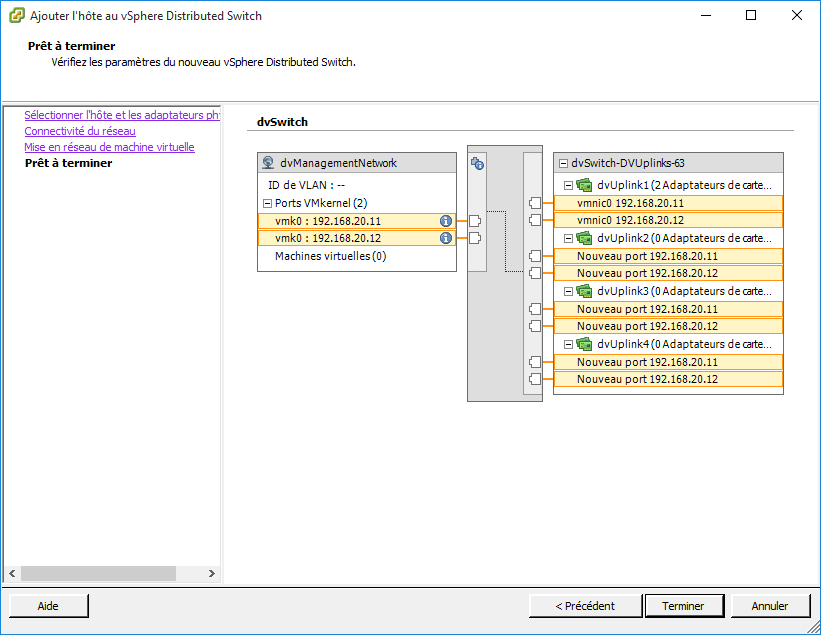
Success! The vmkernel (vmk0) of vSwitch0 will be migrated to the dvSwitch in the dvManagementNetwork dvport.
Repeat the dvport creation process two more times to get the desired network setup.
Additional features
Teaming on a dvport:
I mentioned earlier that I had teaming set up before migrating to the dvport.
So I want to recreate that previous feature, to do this, click on the Edit Settings option at the top right:
Then, in the Teaming and Failover tab, here's our configuration:
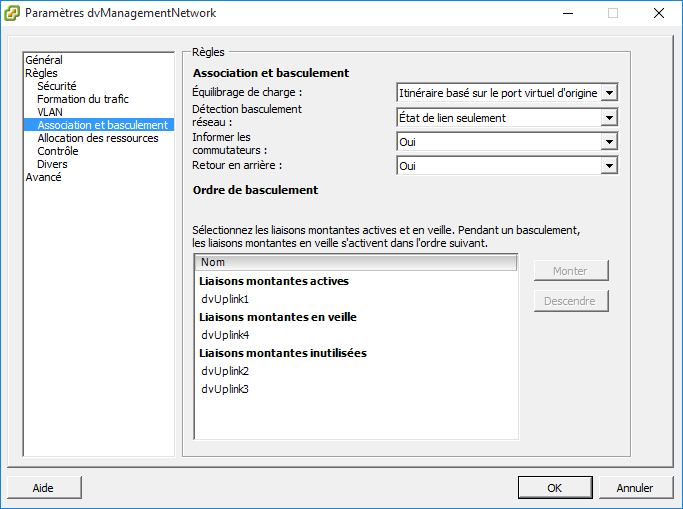
Info: DvUplink1 corresponds to vmnic0, and dvUplink4 to vmnic3.
Jumbo Frames on a dvSwitch:
It can be important to enable Jumbo Frames, especially on ISCSI connections.
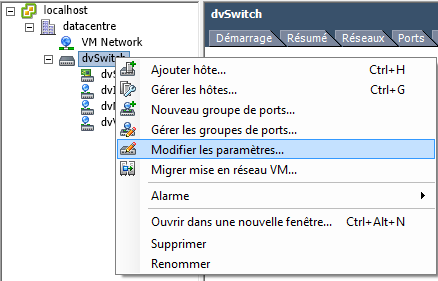
To do this, right-click on the dvSwitch and choose Edit Settings:
Once in the options, we select Advanced, then set MTU to 9000:
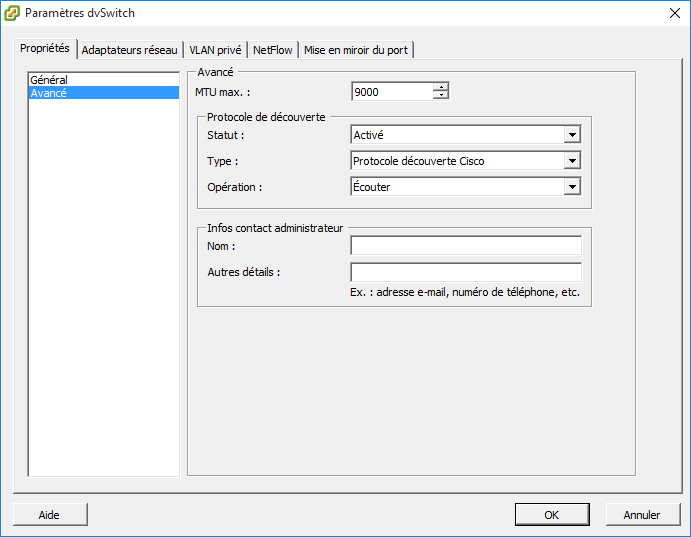
Enabling Jumbo Frames must be done on every element (at every level of the infrastructure), such as: VMkernel, vDS, physical switches, and SAN. For more information, see the VMware KB: Enabling Jumbo Frames on virtual distributed switches (1038827).
dvSwitch Multipathing:
For those looking for a solution to increase their SAN's availability to ESXi, there's an excellent tutorial.
Check it out through a very clear article at the following address: everything-virtual.com
Frequently asked questions with useful links:
Can LACP be enabled with ISCSI multipathing?
https://kb.vmware.com/selfservice/microsites/search.do?language=en_US&cmd=displayKC&externalId=2051307
How do you properly migrate an existing ISCSI multipathing configuration to a distributed switch?
https://itvlab.wordpress.com/2015/02/14/how-to-migrate-iscsi-storage-from-a-standard-switch-to-a-distributed-switch/