


Monitor and manage all types of infrastructure. A Big Data solution that analyzes your data. Installation is quick and easy.
Real-world use case
You need to monitor and correlate logs across heterogeneous infrastructures: here's how to install Splunk on Debian 7.
Splunk is a solution that meets the needs of "IaaS", "PaaS", and "SaaS" type infrastructures.
Cloud Computing and Big Data generate a huge amount of information, and simple event log servers aren't suited to centralizing and analyzing this flow.
This is machine data that will be analyzed and correlated with each other.
This article is based on the official Splunk documentation using the free version of Splunk.
The Splunk version is 6.0.1, the free model that lets you index up to 500MB of logs per day.
Splunk machine data:
An interesting article on "journaldunet": Splunk, Big Data's rising new star.
Signing up for and downloading Splunk
To download Splunk for free, you'll need to create an account at this address.
Once you've completed the account verification steps, you'll need to download the package.
In my case, on a Debian 7 distribution, the package will be the ".deb"
wget http://www.splunk.com/page/download_track?file=6.0.1/splunk/linux/splunk-6.0.1-189883-linux-2.6-amd64.deb&platform=Linux&architecture=x86_64&version=6.0.1&product=splunkd&typed=release&name=linux_installer&d=pro&elq=420033cd-be42-42c2-9137-efe395e1a8ea
Installing Splunk on Debian 7
Installing Splunk is extremely simple and requires no prior setup.
Install the ".deb" package with Debian's "dpkg":
dpkg -i splunk-6.0.1-189883-linux-2.6-amd64.deb
The installation will proceed as follows:
Splunk rev.  9.11.2013
Do you agree with this license? [y/n]: y

This appears to be your first time running this version of Splunk.
Copying '/opt/splunk/etc/openldap/ldap.conf.default' to '/opt/splunk/etc/openldap/ldap.conf'.
Generating RSA private key, 1024 bit long modulus
..............................................................++++++
...++++++
e is 65537 (0x10001)
writing RSA key

Generating RSA private key, 1024 bit long modulus
........++++++
........................................++++++
e is 65537 (0x10001)
writing RSA key

Moving '/opt/splunk/share/splunk/search_mrsparkle/modules.new' to '/opt/splunk/share/splunk/search_mrsparkle/modules'.

Splunk> The Notorious B.I.G. D.A.T.A.

Checking prerequisites...
    Checking http port [8000]: open
    Checking mgmt port [8089]: open
    Checking configuration...  Done.
        Creating: /opt/splunk/var/lib/splunk
        Creating: /opt/splunk/var/run/splunk
        Creating: /opt/splunk/var/run/splunk/appserver/i18n
        Creating: /opt/splunk/var/run/splunk/appserver/modules/static/css
        Creating: /opt/splunk/var/run/splunk/upload
        Creating: /opt/splunk/var/spool/splunk
        Creating: /opt/splunk/var/spool/dirmoncache
        Creating: /opt/splunk/var/lib/splunk/authDb
        Creating: /opt/splunk/var/lib/splunk/hashDb
    Checking critical directories...    Done
    Checking indexes...
        Validated: _audit _blocksignature _internal _thefishbucket history main summary
    Done
New certs have been generated in '/opt/splunk/etc/auth'.
    Checking filesystem compatibility...  Done
    Checking conf files for typos...    Done
All preliminary checks passed.

Starting splunk server daemon (splunkd)...
Done

Starting splunkweb...  Generating certs for splunkweb server
Generating a 1024 bit RSA private key
...............++++++
................++++++
writing new private key to 'privKeySecure.pem'
-----
Signature ok
subject=/CN=splunk/O=SplunkUser
Getting CA Private Key
writing RSA key
Done

If you get stuck, we're here to help.
Look for answers here: http://docs.splunk.com

The Splunk web interface is at http://splunk:8000
The Splunk installation is complete, you'll now be able to open your web browser.
The Splunk interface is only available on port 8000 over http (free version).
Getting Splunk running on Debian 7
Start Splunk with the command:
/opt/splunk/bin/splunk start
Your first look at Splunk is the following window:
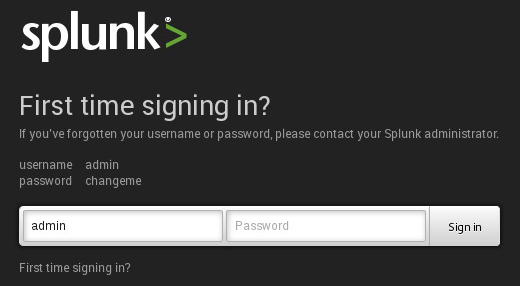
After filling in the login fields, the configuration process begins:
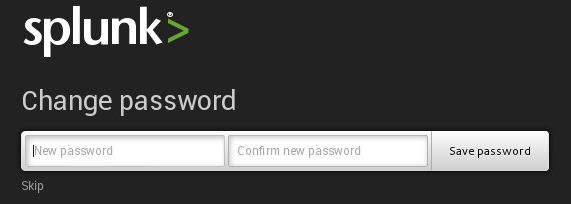
It's strongly recommended to change the password, then configure Splunk:
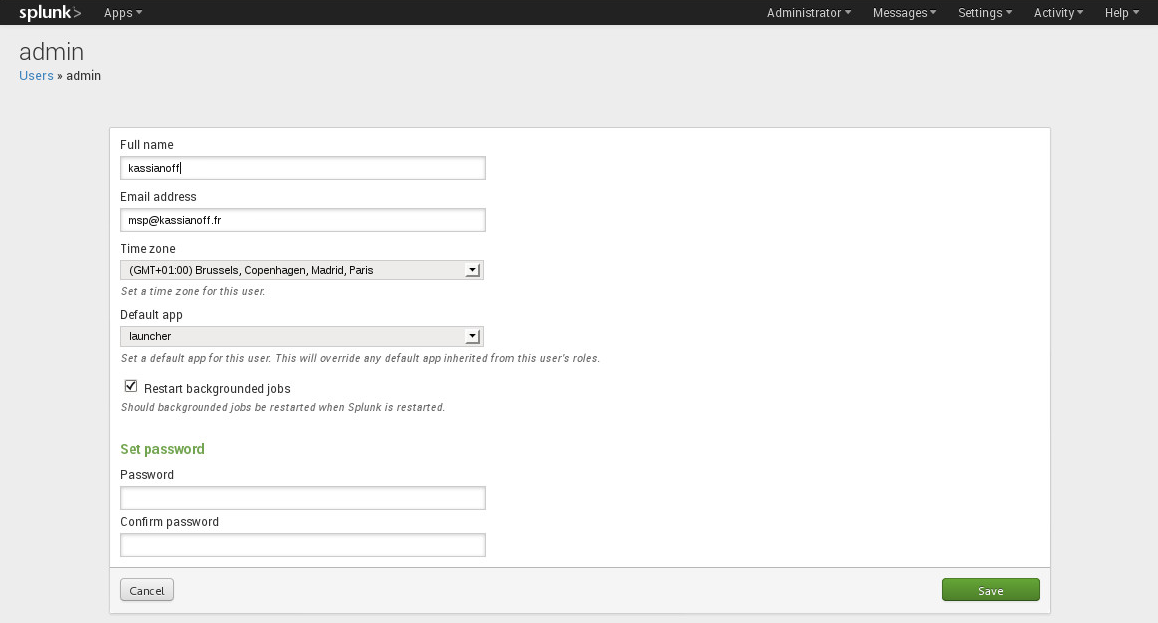
The Splunk installation is complete.
Conclusion
This article covered installing Splunk on Debian 7, from creating an account and downloading the .deb package to the first startup of the web interface on port 8000. The installation proved quick and requires no particular prior setup, which makes this log centralization and analysis solution accessible even in its free version (limited to 500MB of logs per day). Splunk is thus a great entry point for discovering machine data monitoring and analysis.