


Clipperz is a free password manager. Suited for personal and family use. A secure web interface and strong algorithms.
Real-world use case
You're looking for a free password manager to self-host: here's how to install Clipperz on Debian 7.
Clipperz is an open source password manager under AGPL v3 license.
Clipperz's strength is the ability to self-host it and modify its source code.
Suited for personal and family use, it offers interesting features!
This article is based on Clipperz's Github, and will be installed on a Debian 7 distribution.
Prerequisites: Installation and compilation
Installing a classic "LAMP" server:
apt-get install apache2 mysql-server php5-mysql php5
Installing git and python:
apt-get install git-core python-git python-dulwich php-services-json
Downloading the "password-manager" project from clipperz's Github:
git clone git://github.com/clipperz/password-manager.git
Moving into the folder:
cd password-manager
Running the compilation:
./scripts/build install --backends php --frontends beta
cleaning up …
MODULE: beta
MODULE: php
PHP builder - RUN
frontend [beta]: compressing JS code
frontend [beta]: compressing JS code
frontend [beta]: compressing CSS
frontend [beta]: compressing JS code
[PHP builder - beta] index.html checksum: 43ec93f292a1275928a6d657da2dc2d8 (md5)
[PHP builder - beta] index.html checksum: 38ee8108a1caed357ad76092a46d6b211dd79d11 (sha1)
[PHP builder - beta] index.html checksum: cdbef767238dec531ddc1da9d803b98681c6fbb6d6adac99266385c13b8f3211 (sha256)
The index's checksum appears, keep it, since it lets you know whether you've been compromised or not!
Installing clipperz
Clipperz's installation path will be set in the folder:
mkdir /var/www/clipperz/
cd /var/www/clipperz/
Copy the entire previous compilation inside:
cp -R target/php/* /var/www/clipperz/
The folder will belong to the web server:
chown -R www-data:www-data /var/www/clipperz/
Starting mysql on the command line:
mysql -p
=>Enter password:
=>Welcome to the MySQL monitor.  Commands end with ; or g.
=>Your MySQL connection id is 100
=>Server version: 5.5.33-0+Wheezy1 (Debian)
The SQL queries to add will be as follows:
mysql> create database clipperz;
Query OK, 1 row affected (0.02 sec)

mysql> grant all privileges on clipperz.* to 'clipperz'@'localhost' identified by "clipperz";
Query OK, 0 rows affected (0.14 sec)

mysql> flush privileges;
Query OK, 0 rows affected (0.06 sec)

mysql> exit
Bye
Clipperz's configuration file needs to contain the database information:
nano /var/www/clipperz/configuration.php
Find this part in the file's configuration and replace "password":
[...]
$configuration['db_encoding'] = 0;

// edit the information below to match your database settings

$configuration['db']    = 'clipperz';       //  database name
$configuration['host']  = 'localhost';  //  database host
$configuration['user']  = 'root';       //  database user
$configuration['pass']  = 'password';       //  database password
$configuration['port']  = '3306';       //  database port
[...]
Web interface with "POG"*
Installing the database with "php object generator"
Launch in your browser: http://your\_domain/setup/index.php
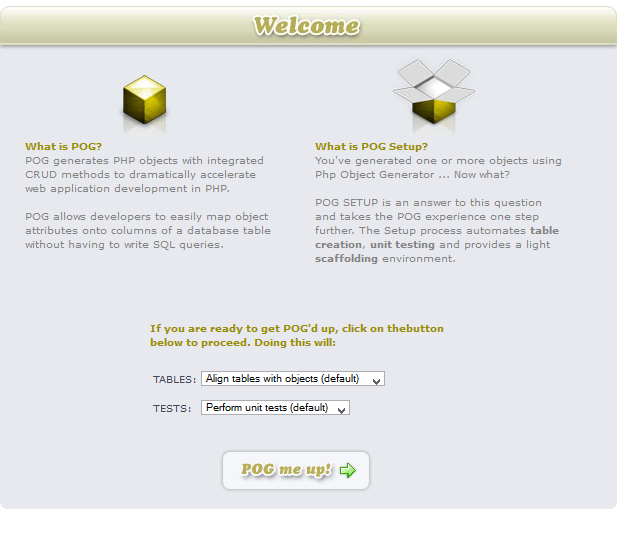
Leave the "Tables" and "Tests" options at default, then click "POG me up!"
Next, it tells you everything went well:
Initializing POG Setup....OK!
File Structure....OK!
Configuration Info....OK!

Storage Status
    Aligning [record] with table 'record'....OK!
    Aligning [user] with table 'user'....OK!
    Aligning [onetimepassword] with table 'onetimepassword'....OK!
    Aligning [onetimepasswordstatus] with table 'onetimepasswordstatus'....OK!
    Aligning [recordversion] with table 'recordversion'....OK!

POG Essentials
record
Save()….OK! SaveNew()….OK! Delete()….OK! GetList() Limit….OK! Sorting….OK! DeleteList()….OK! Optimizing….OK! ***
user
Save()….OK! SaveNew()….OK! Delete()….OK! GetList() Limit….OK! Sorting….OK! DeleteList()….OK! Optimizing….OK! ***
onetimepassword
Save()….OK! SaveNew()….OK! Delete()….OK! GetList() Limit….OK! Sorting….OK! DeleteList()….OK! Optimizing….OK! ***
onetimepasswordstatus
Save()….OK! SaveNew()….OK! Delete()….OK! GetList() Limit….OK! Sorting….OK! DeleteList()….OK! Optimizing….OK! ***
recordversion
Save()….OK! SaveNew()….OK! Delete()….OK! GetList() Limit….OK! Sorting….OK! DeleteList()….OK! Optimizing….OK! POG Relations PreRequisites
record
Is properly connected (OK) ***
user
Is properly connected (OK) ***
onetimepassword
Is properly connected (OK) ***
onetimepasswordstatus
Is properly connected (OK) ***
recordversion
Is properly connected (OK) POG Relations
record
Addrecordversion()….OK! GetrecordversionList()….OK! Delete(recordversion)….OK! Save(recordversion)….OK! Set(recordversion)List….OK! Setuser()….OK! Getuser()….OK! ***
user
Addrecord()….OK! Addonetimepassword()….OK! GetrecordList()….OK! GetonetimepasswordList()….OK! Delete(record)….OK! Delete(onetimepassword)….OK! Save(record)….OK! Save(onetimepassword)….OK! Set(record)List….OK! Set(onetimepassword)List….OK! ***
onetimepassword
Setuser()….OK! Setonetimepasswordstatus()….OK! Getuser()….OK! Getonetimepasswordstatus()….OK! ***
onetimepasswordstatus
Addonetimepassword()….OK! GetonetimepasswordList()….OK! Delete(onetimepassword)….OK! Save(onetimepassword)….OK! Set(onetimepassword)List….OK! ***
recordversion
Setrecord()….OK! Getrecord()….OK! CHECKED 5 OBJECT(S). FOUND 0 ERROR(S). HURRAY! -----------------
You can click the "Proceed" button and you're done!
The Base 64 plugin can be enabled via "manage plugin" and "install".
Edit the configuration file:
[...]
$configuration['db_encoding'] = 1;
The result in "POG":
BASE64 Status

    Checking MySQL function....OK!

    Checking db_encoding status....OK!

BASE64 Status...OK!

---------------------------------------------------
Copy the entire "beta" directory to the website's root:
cp -R beta/* /var/www/clipperz/
A few tips to finish the installation:
- You can now move or delete your "setup" file to make it inaccessible.
- Creating a robots.txt file that prevents your Clipperz from being indexed, for example:
User-agent: *
Disallow: /
- Disabling registrations in the "index.php" file:
Replace the "registration" case with the "disabled_registration" case
Once done, your Clipperz web interface is ready!
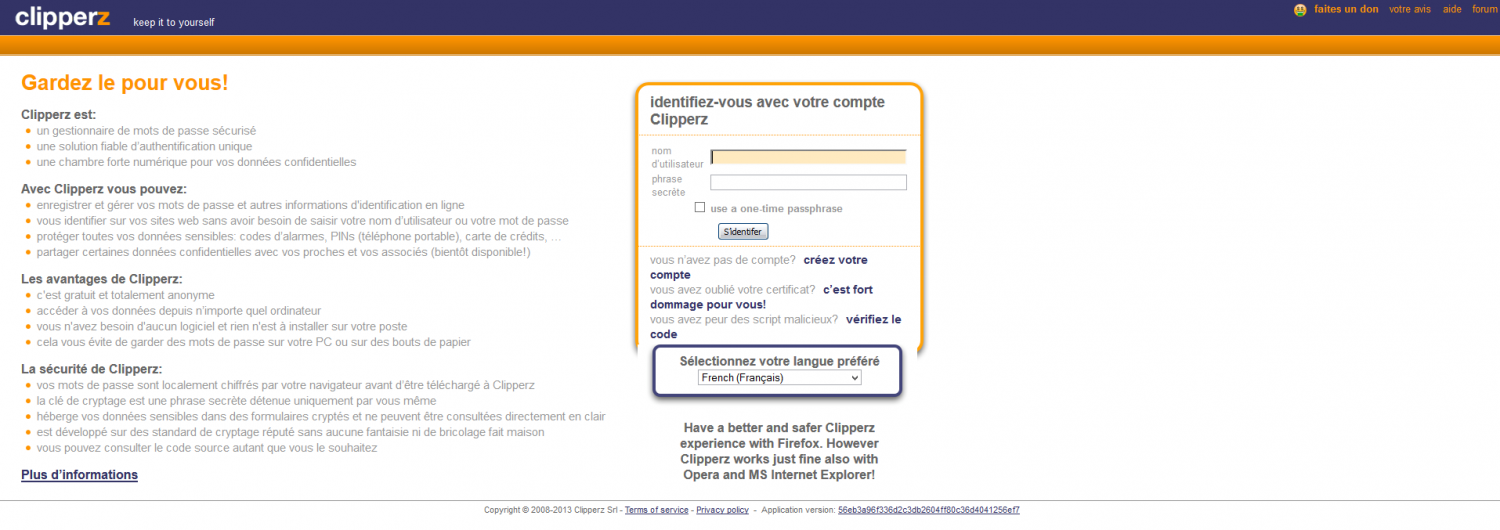
Enjoy.
Conclusion
I've presented here the installation of Clipperz, a self-hostable open source password manager, on a Debian 7 distribution with a classic LAMP stack. Compiling the project, setting up the database via the POG tool, and enabling the Base64 plugin let you get a working web interface in a few steps. This solution offers a good compromise for personal or family use while keeping full control over your sensitive data.