

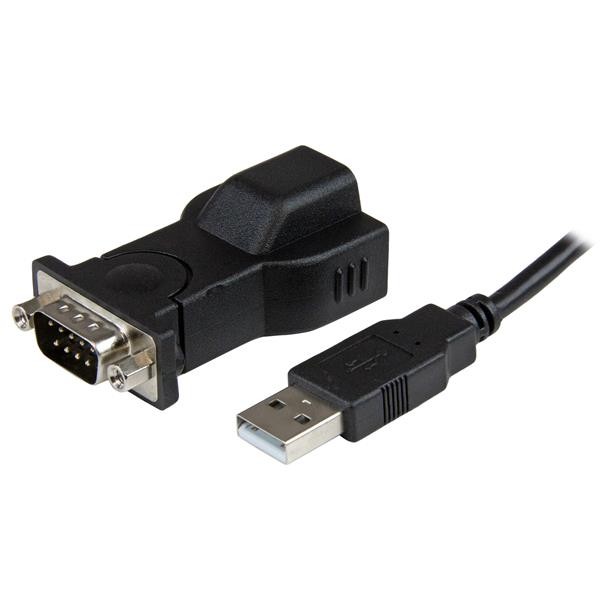
Adapter Startech.com : IC USB S232D notice submission. How to Install your adapter ICUSBS232D on Linux? My procedure that i have used to set it up.

Real-world use case
Your Startech ICUSBS232D USB serial adapter isn't detected on Linux: here is the driver and the commands you need to know to get it working without spending your whole evening on it.
How to Install your adapter ICUSBS232D on Linux?
Startech did not explained how to use the ICUSB232D adapter on Linux in the notice. You will find bellow my procedure that i have used to set it up, you can use and share it.
Connect the provided USB 2.0 Cable to the USB Serial Adapter, and then to an available USB port on the computer.
Linux should recognize automatically the adapter, now you can use your terminal and write this command:
Check result « pl2303». Exemple:
[ 3.785197] usb 1-3.4: pl2303 converter now attached to ttyUSB0
Keep your tty, in this exemple it’s « ttyUSB0».
Now, you can install minicom on Linux (exemple on Debian):
apt-get install minicom
After installing, please open up minicom by running this command:
minicom -s
To set up: enter in the « serial port setup » and set the serial device by «/dev/ttyUSB0».
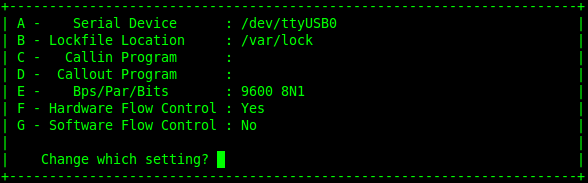
You are done, you can Press «Enter » command and save the configuration
Then you will start:
minicom
I submitted this procedure to [email protected] and i hope he will update their document.