

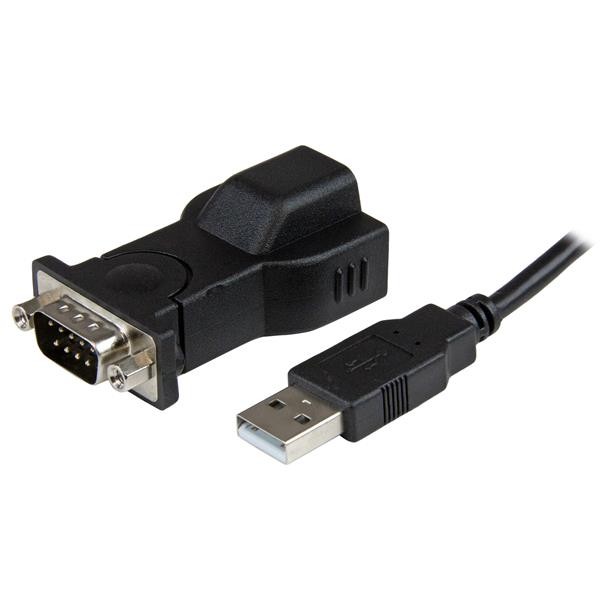
Adapter Startech.com : IC USB S232D notice submission. How to Install your adapter ICUSBS232D on Linux? My procedure that i have used to set it up.

Cas d'usage concret
Votre carte série USB Startech ICUSBS232D n'est pas détectée sous Linux : voici le pilote et les commandes à connaître pour la faire fonctionner sans y passer la soirée.
How to Install your adapter ICUSBS232D on Linux?
Startech did not explained how to use the ICUSB232D adapter on Linux in the notice.
You will find bellow my procedure that i have used to set it up, you can use and share it.
Connect the provided USB 2.0 Cable to the USB Serial Adapter, and then to an available USB port on the computer.
Linux should recognize automatically the adapter, now you can use your terminal and write this command:
Check result « pl2303». Exemple:
[ 3.785197] usb 1-3.4: pl2303 converter now attached to ttyUSB0
Keep your tty, in this exemple it’s « ttyUSB0».
Now, you can install minicom on Linux (exemple on Debian):
apt-get install minicom
After installing, please open up minicom by running this command:
minicom -s
To set up: enter in the « serial port setup » and set the serial device by «/dev/ttyUSB0».
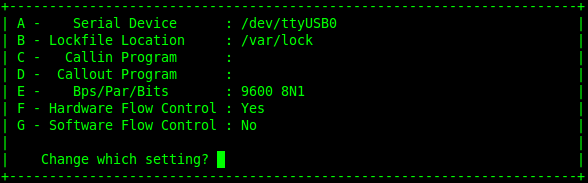
You are done, you can Press «Enter » command and save the configuration
Then you will start:
minicom
I submitted this procedure to [email protected] and i hope he will update their document.
Conclusion
Cette procédure détaille l'installation de l'adaptateur USB-série ICUSBS232D de Startech sous Linux, non documentée officiellement par le fabricant. Elle couvre la reconnaissance automatique du périphérique, l'identification du port ttyUSB via les journaux système, puis la configuration de minicom pour établir la connexion série. Cette méthode a été transmise au support Startech afin de compléter leur documentation. Elle reste utile à quiconque doit configurer ce type d'adaptateur sur un système Linux.