

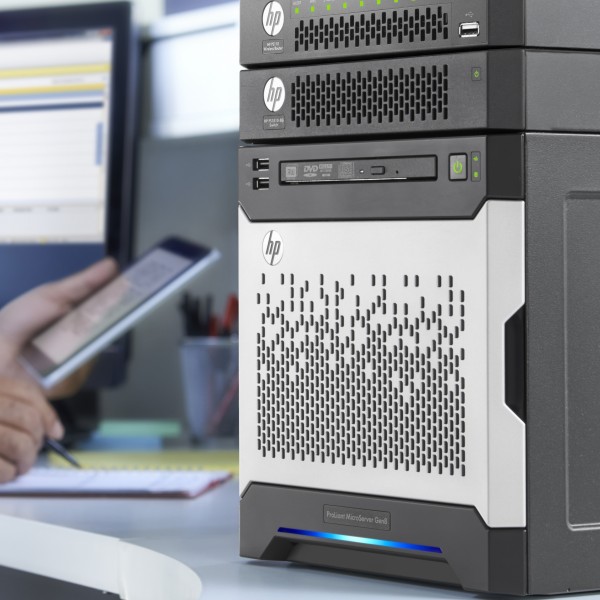
A microserver can meet the most basic needs at home but also in certain professional scenarios.
Real-world use case
You're looking for a discreet machine for simple personal or professional needs: here's how to choose the right microserver.
Choosing a microserver
Nowadays, owning your own server is within everyone's reach, whether you're a tech enthusiast or not. Within a home or a small organization, so-called MicroServer solutions are ideal. A MicroServer is less powerful than a standard (rackable) server and less bulky: reasonable dimensions and reduced power consumption. It lets you centralize data, distribute it, and better manage permissions. Setting up a first server can be a source of uncertainty, since so many solutions exist. I'll try to shed some light on the possibilities.
Table of contents:
- The rise of the MicroServer
- How to choose your MicroServer?
- Conclusion
The rise of the MicroServer
Generally expensive, a server exists in many different forms. MicroServer solutions have come to replace the term MediaServer: manufacturers play with words and offer us an overview of current solutions:
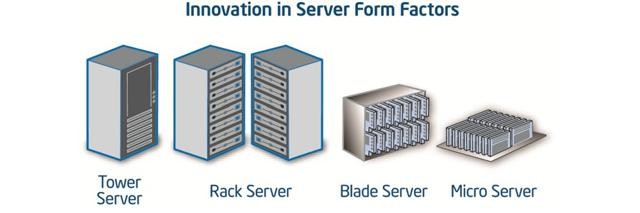
The MicroServer therefore positions itself as the most compact and least power-hungry option. The various manufacturers have clearly understood the appeal of such a product and have fully integrated it into their ranges. This new segment benefits from manufacturer warranties, just as a Rack or Blade would. The MicroServer has thus become a viable option within the landscape of existing solutions.
That said, for a long time now, the so-called barebone form factor has been on the market with the Shuttle brand. It managed to popularize the build-your-own mini PC, which has become increasingly powerful, notably with the design of Zotac all-in-one motherboards. Today, the leaders integrate their hardware into small MicroServers that become genuine do-everything servers, and the case designs dissipate heat relatively well.
How to choose your MicroServer?
The first thing to do to choose your MicroServer is to identify your needs. Don't hesitate to look into it through every available means: manufacturer pre-sales, forums, and/or IT partners are valuable allies when you don't want to spend a lot of time on it. Here, I suggest identifying a few common needs:
- Are you an individual who wants enough power for entertainment? And who occasionally wants to share their server's resources (voice/file sharing)? Your processor and storage will be the key elements for your multimedia sessions.
- Are you an individual who wants to publish/test applications under development, more or less demanding ones? Do you regularly use your server as a personal work tool? Prioritize data resilience, sufficient RAM, and (depending on your apps) a fast processor.
- Are you an individual who uses storage access (NFS, CIFS, SMB) for file sharing? And/or as a storage solution (backups)? Prioritize a low-power CPU and data resilience.
- Are you an SMB that wants to set up a true do-everything server, since it also covers all the points listed above? All components should be oriented toward a high-end MicroServer.
For example, if a certain type of MicroServer meets your requirements, as in my case with the HP ProLiant MicroServer Gen8 (older generation), it may be necessary to make a few additions, such as:
- A dedicated controller card for managing the hard drives.
- More RAM if needed.
- Possibly a new, more powerful processor.
- Licensing costs: proprietary systems or hardware such as enterprise ILO.
As a reminder, keep in mind that the HP Gen9 and Gen10 generations can no longer be upgraded, since the processor is soldered and ILO is missing.
Other manufacturers offer a range of so-called Micro servers, such as: Dell, SuperMicro, Fujitsu, Lenovo. Here are the ten things you should know about MicroServers. It's true that the MicroServer has certain power limitations due to its compact architecture, but overall it can meet a fairly wide range of needs for a first home or business server.
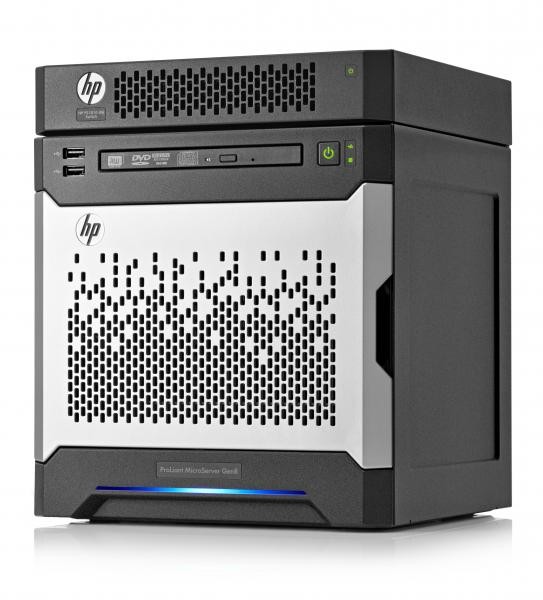
There are many possible ways to integrate it: under a desk, on a small shelf, in a closet. It makes it unobtrusive on a daily basis, even clever, as here with a stackable switch:
Here's the rear view of the stackable and manageable HP PS1810-8G switch:
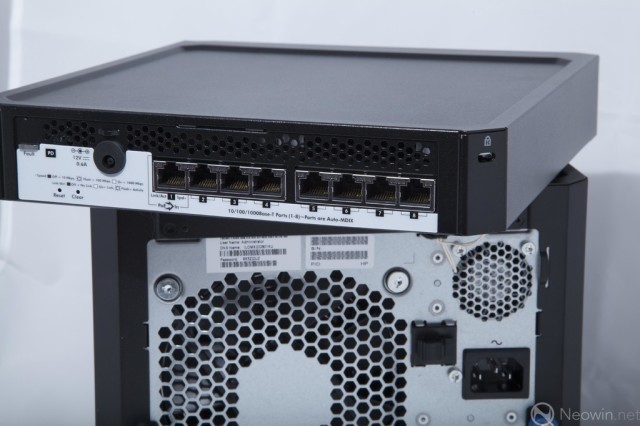
You can also add an HP RDX C8S07B drive, as well as monitor the HP server's status via the switch. Don't forget to use the SPP to keep all of the server's hardware up to date.