


The Zextras PowerStore extension makes it easy to increase storage capacity. Discover creating an AWS volume and adding it to PowerStore.

Real-world use case
Storage on your Zimbra cluster is reaching saturation: I explain how to add an AWS volume in PowerStore via Zextras to extend capacity without interrupting service.
Adding an AWS volume to PowerStore for Zimbra
The growth of data on a mail server using the IMAP or Exchange ActiveSync protocol is constant. Having used the Zimbra and Zextras solution for many years, I use the storage features offered by PowerStore. Performing a massive archive or deduplicating data can take a long time. We're going to perform live object archiving simply toward Amazon Web Services.
Table of contents
- Creating and configuring an S3 Bucket at AWS
- Integrating the AWS S3 Bucket as a secondary volume in Zextras PowerStore
- Creating a storage management policy with HSM
Creating and configuring an S3 Bucket at AWS
To start, we're going to create what's known as an S3 Bucket object store. It's made up of data and metadata and responds to a REST API. Let's head to the sign-up page and follow the instructions:
The rest is fairly basic, it's recommended to create a user account for each S3 instance. To do this, let's head to the following page: IAM/AWS and click Get started with AWS IAM, here's the dashboard:
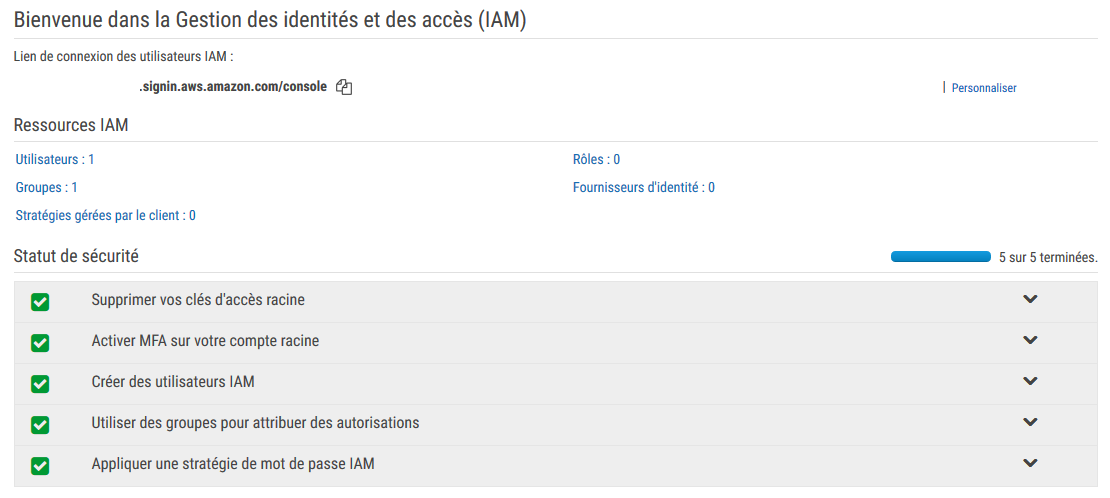
I encourage you to enable two-factor authentication (MFA) on the root account and then apply an IAM password policy in order to maintain an operational security posture. Then let's click Users and add our user:
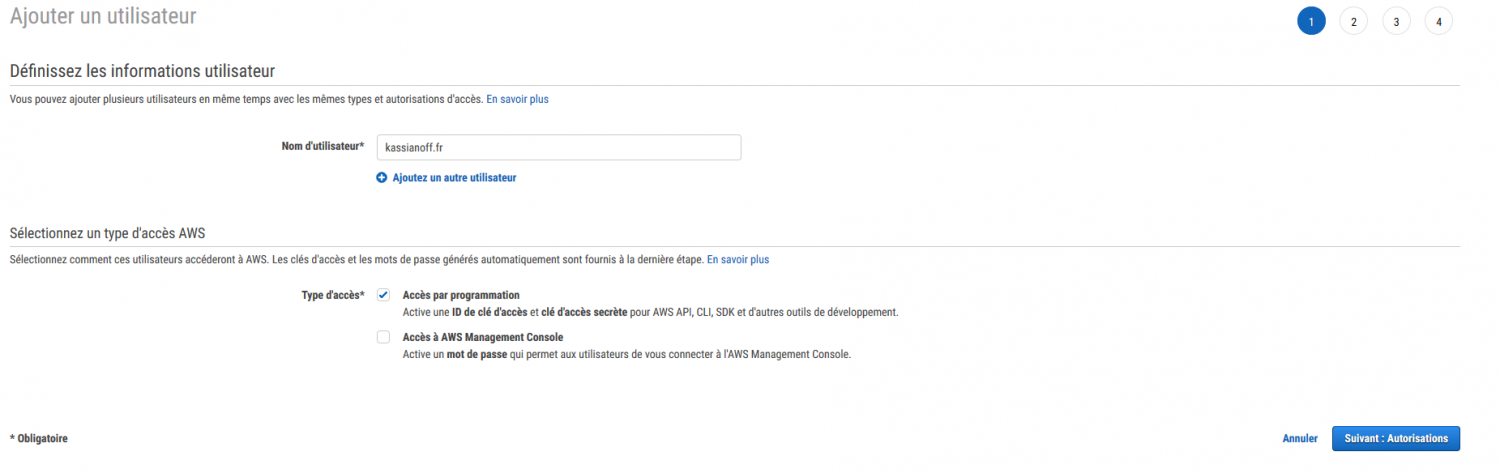
Step 2 consists of authorizing the user to gain access to AWS services:
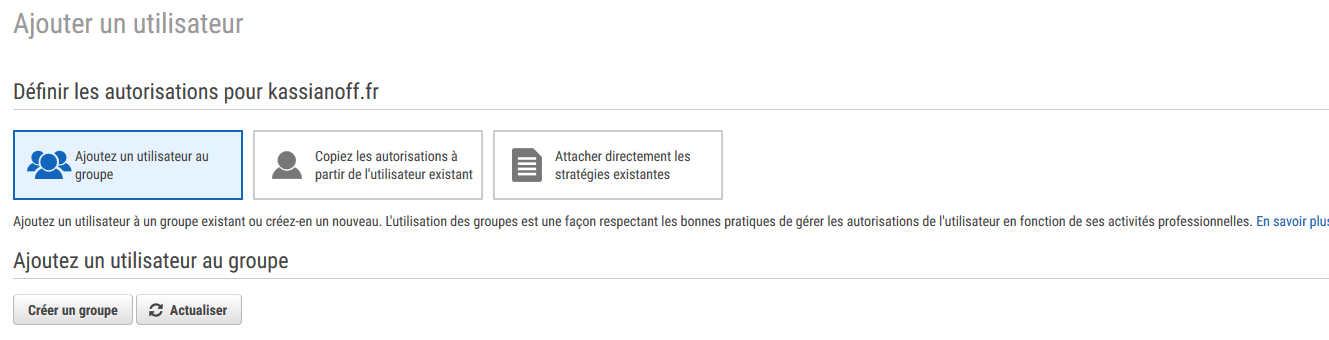
Before that, we need to create a group dedicated to our S3 storage, by clicking Create group:
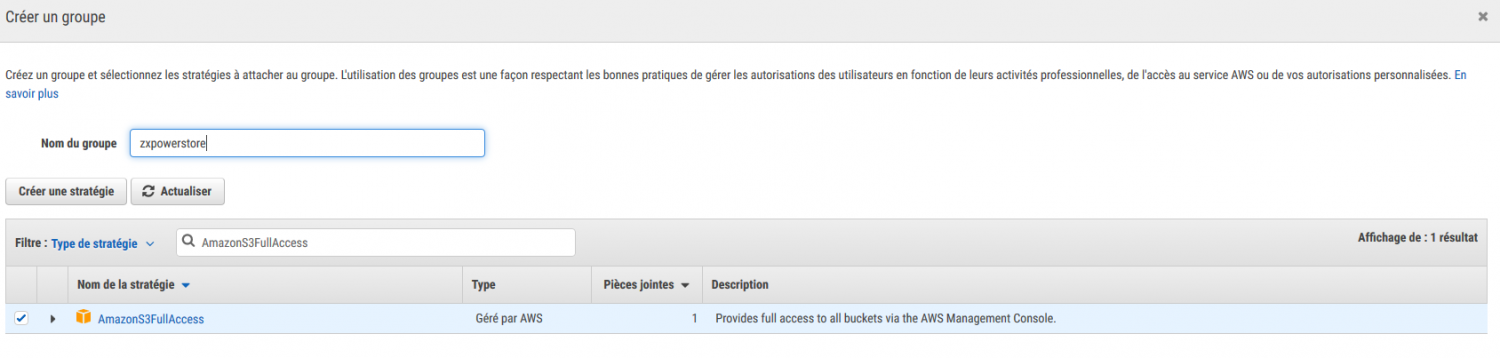
The AmazonS3FullAccess permission is important, since it lets the zxpowerstore account fully manage S3 instances. Once done, let's continue to step 3 and click Create user:
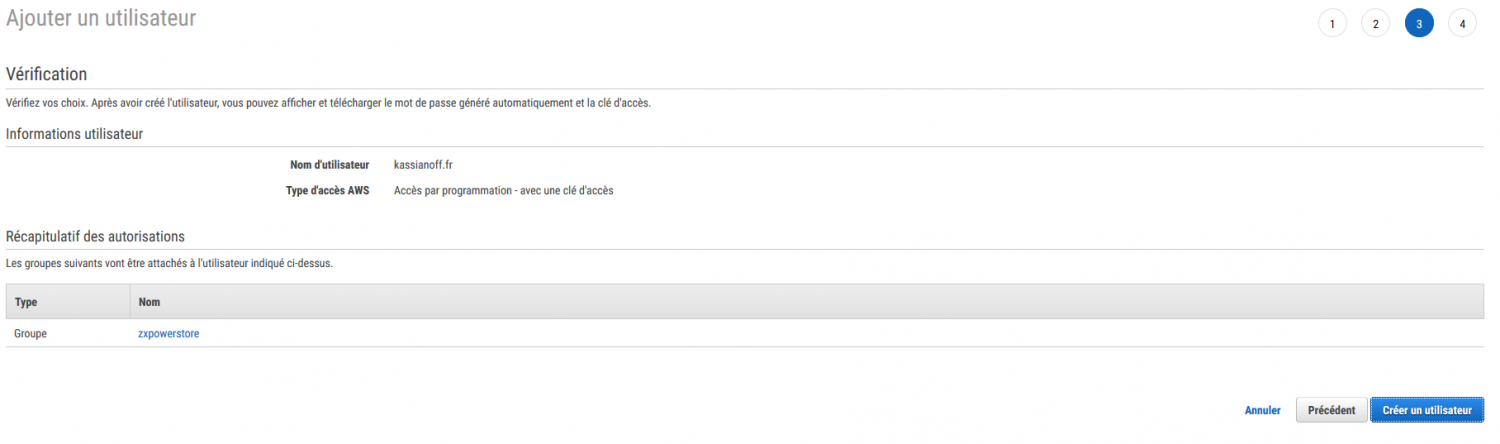
The demo user is now available, here's all the information about them:

Now we're going to create the Amazon S3 instance for Zextras PowerStore. The compatible storage classes are:
- Amazon S3 Standard
- Amazon S3 Standard – Infrequent Access
I use the Standard – Infrequent Access storage class for my archiving, since these are rarely accessed. More information on the various classes offered by Amazon S3. Let's head to the following page: S3/AWS, where we can create our bucket in London (EU_WEST_2 region):
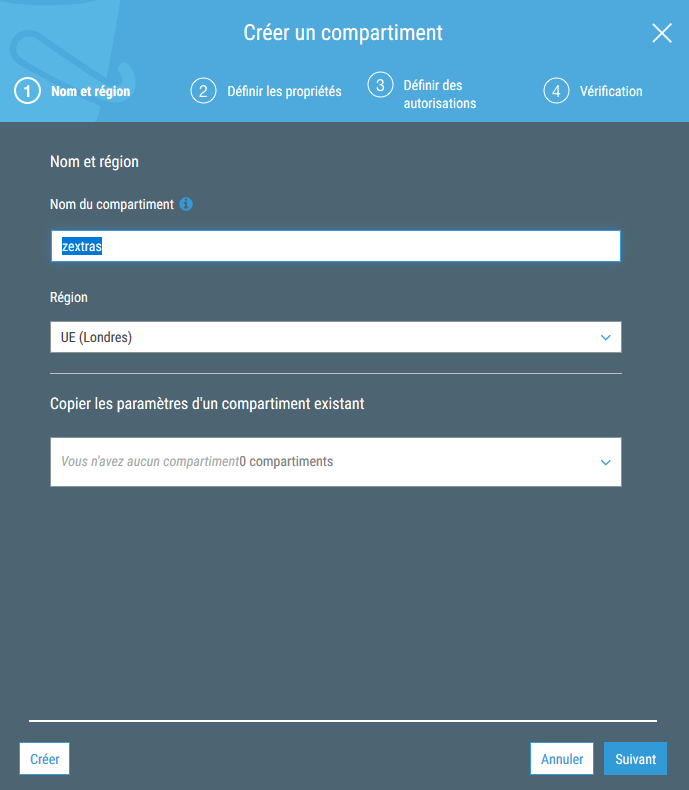
Step 4 gives us an overview of our S3 bucket:
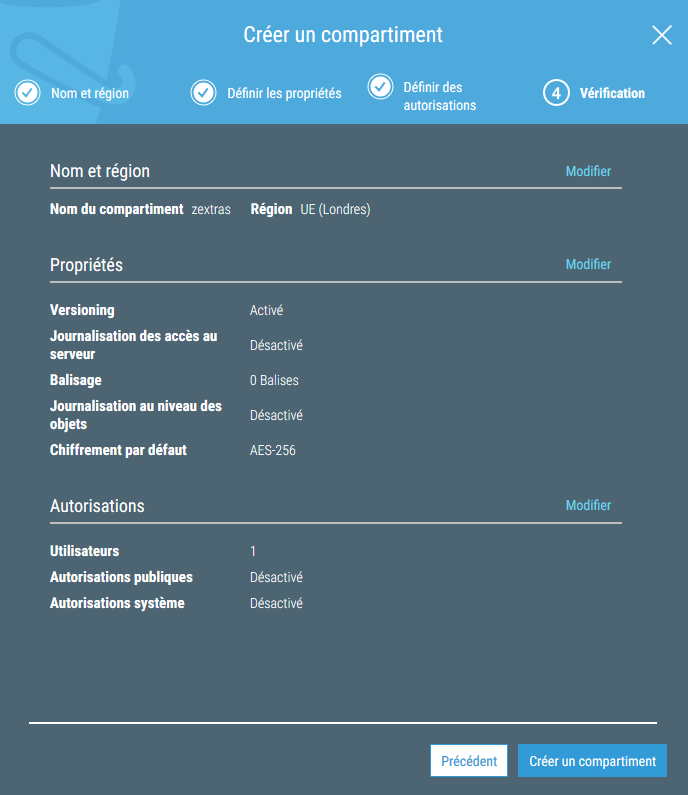
Our bucket, named Zextras, is now available in our Amazon S3 dashboard. We've noticed that bucket names must be unique. Finally, it's possible to create folders:
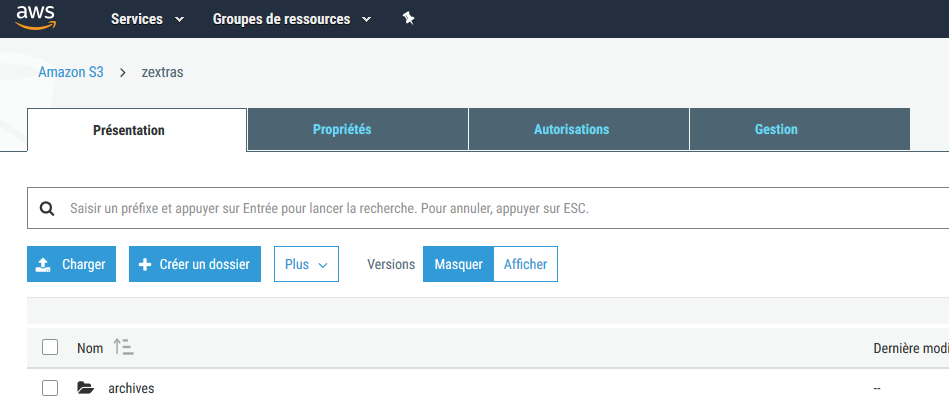
Integrating the AWS S3 Bucket as a secondary volume in Zextras PowerStore
We created a kassianoff.fr user, who is a member of a group named zxpowerstore with AmazonS3FullAccess permissions. Our group is now able to manage all our buckets. Integrating the S3 Bucket into Zextras PowerStore is now possible from Zimbra's Admin interface:
configureGlobal SettingsS3 buckets
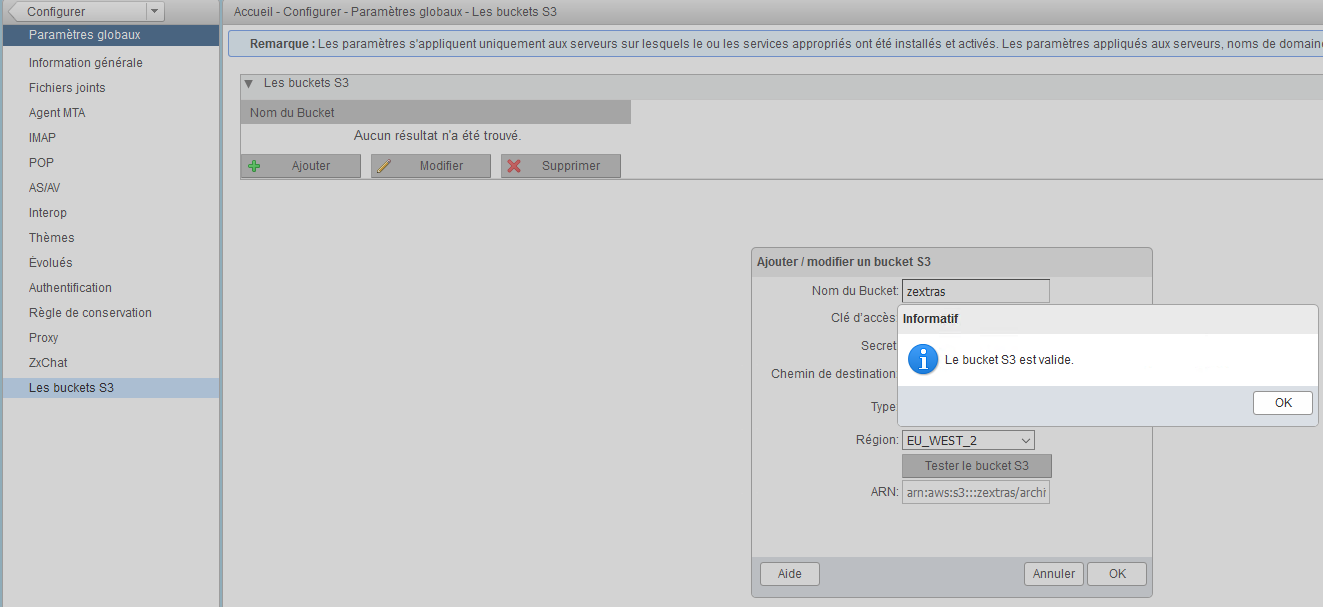
In the Access key/Secret fields, let's add the kassianoff.fr user's connection information.
Then let's head to the home page from: ZextrasZxPowerStoreSecondary volume, and add it:
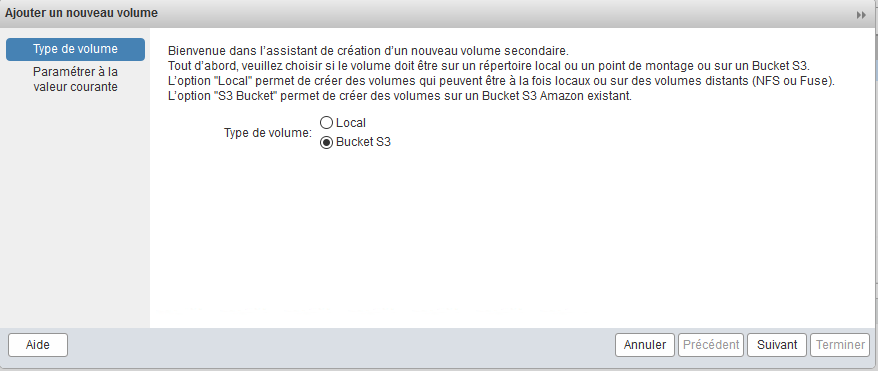
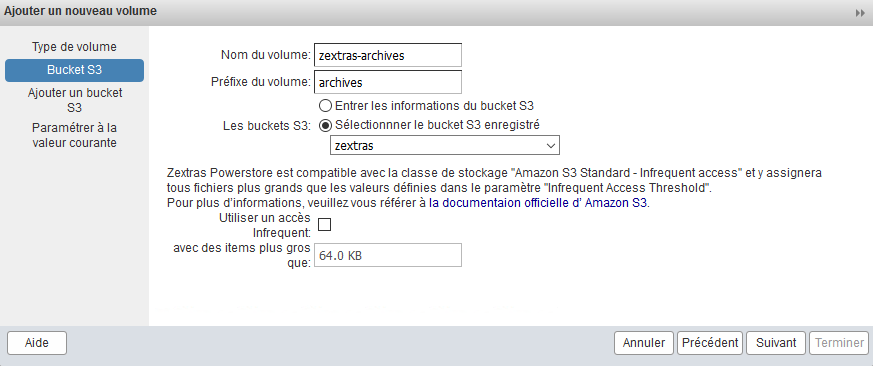
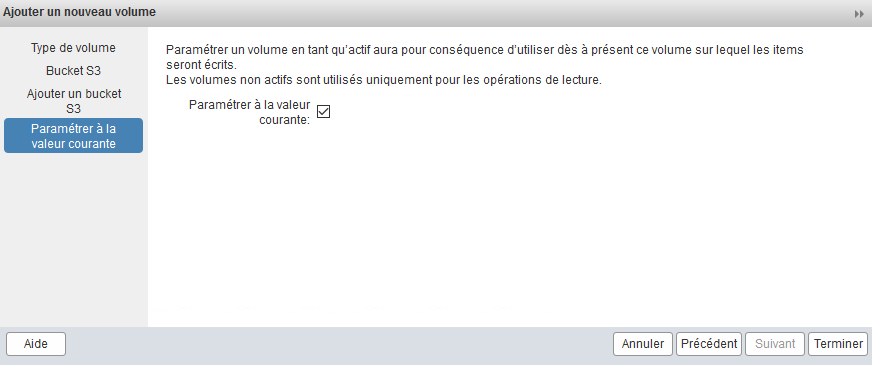
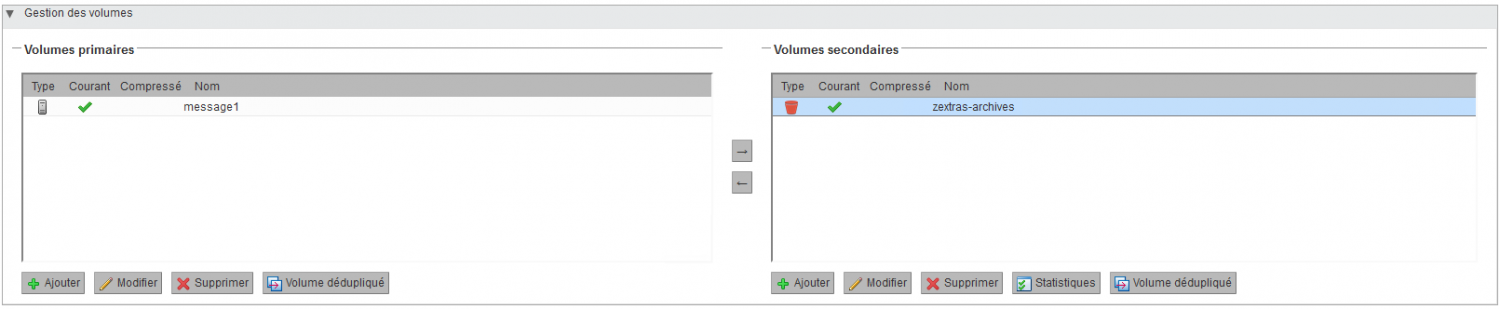
We finish the step of adding the S3 Bucket into Zextras PowerStore, the result should look like this:
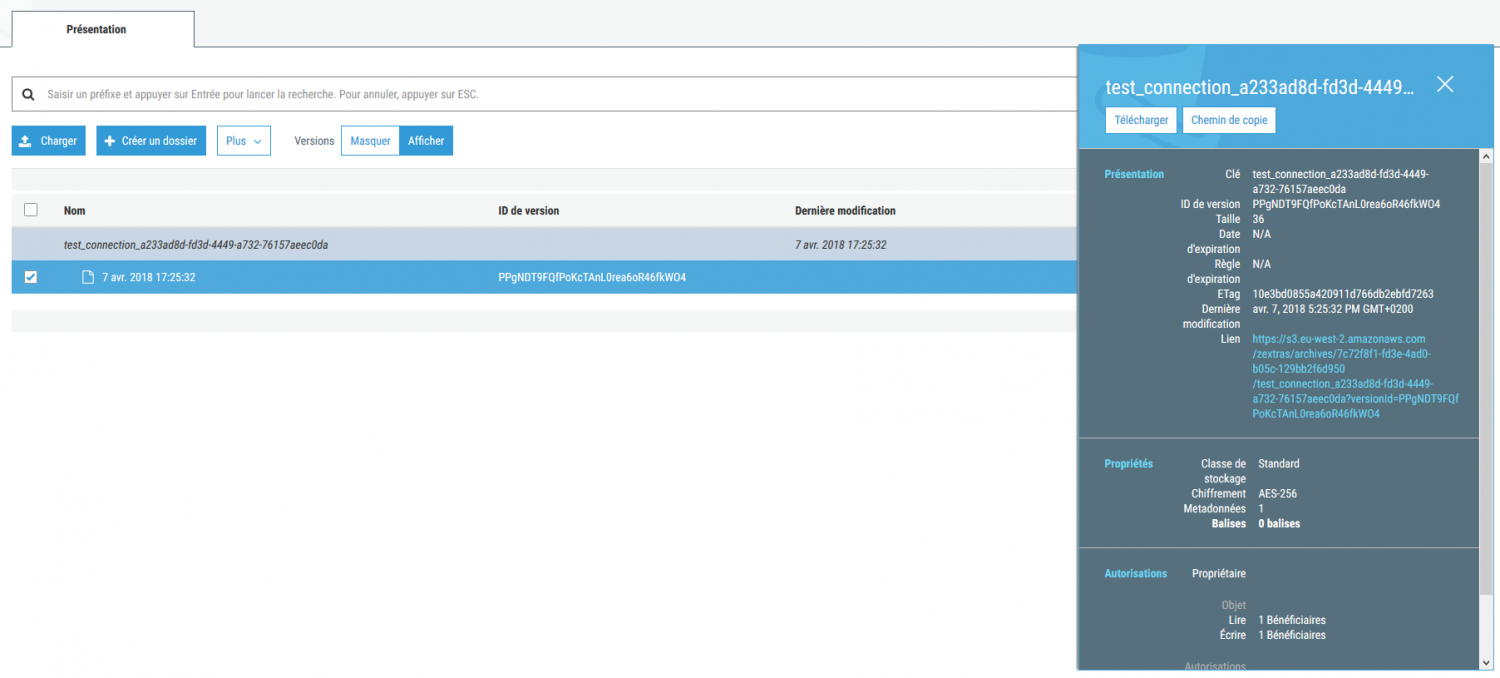
We're now going to check that the connection was properly established during the test. Let's head to the AWS console, into the S3 bucket, and in the Archives folder, a new directory is present with a test_connection file:
Creating a storage management policy with HSM
We're now ready to create one or more rules toward our S3 bucket with the HSM (Hierarchical Storage Management) policy. Example with an archiving policy:
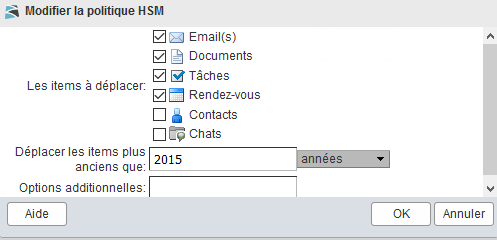
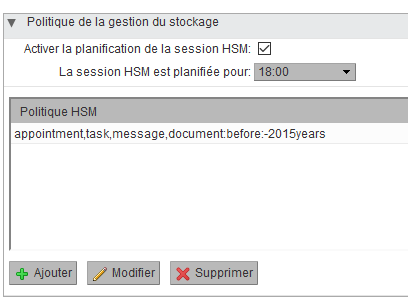
It's possible to run the policy manually and not enable scheduling (top right) on the interface. To follow the progress of the data move via CLI, here's the command:
powerstore monitor 99307b88-bc0c-4aa5-a97f-77c0d74c0380
 --
 Checked Mailboxes:  0/12
 Affected Mailboxes: 0/12
 Last Account:
 Policies:           [appointment,task,message,document:before:-2015years]
 Moved Blobs:        0
 Copied Blobs:       0
 Linked Blobs:       0
 Skipped Blobs:      0
 Total Data Read:    0 bytes [0 bytes]
 Total Data Written: 0 bytes [0 bytes]
 Total Data Saved:   0 bytes [0 bytes]

 --
 Checked Mailboxes:  0/12
 Affected Mailboxes: 0/12
 Last Account:
 Policies:           [appointment,task,message,document:before:-2015years]
 Moved Blobs:        4112
 Copied Blobs:       4112
 Linked Blobs:       0
 Skipped Blobs:      0
 Total Data Read:    622.96 MB [653218417 bytes]
 Total Data Written: 399.61 MB [419019246 bytes]
 Total Data Saved:   223.35 MB [234199171 bytes]

 --
 Checked Mailboxes:  2/12
 Affected Mailboxes: 2/12
 Last Account:       [email protected]
 Policies:           [appointment,task,message,document:before:-2015years]
 Moved Blobs:        4223
 Copied Blobs:       4223
 Linked Blobs:       0
 Skipped Blobs:      0
 Total Data Read:    638.98 MB [670020812 bytes]
 Total Data Written: 409.2 MB [429075752 bytes]
 Total Data Saved:   229.78 MB [240945060 bytes]
The result looks like this:
== Notifications ==

Subject: ZeXtras Powerstore Notification, Move Blobs started.
Date: 07/04/2018 17:46:09
Level: Information
Server: webmail.kassianoff.fr
Text:
This is an automated notification from ZxPowerstore about Move Blobs.

Operation Move Blobs Started.

Operation Id: 99307b88-bc0c-4aa5-a97f-00a0d74c0000
Operation Host: webmail.kassianoff.fr
Monitor Command: zxsuite powerstore monitor 99307b88-bc0c-4aa5-a97f-77c0d74c0380

Operation requested by: [email protected]

ZeXtras Suite Version: 2.6.4
commit: 41e7532fb18b24a9200ac14ff8db3ccc1afddd89

Zal Version: 2.2.1
Zal commit: 32cec282603bf945c1f192e24776250f9bca46dd
Zimbra version: 8.8.6_GA_1906 20171130041047 20171130-0528 FOSS

Policy: [appointment,task,message,document:before:-2015years]
Custom Policy: No custom policy set

Subject: ZeXtras Powerstore Notification, Move Blobs completed.
Date: 07/04/2018 17:52:47
Level: Information
Server: webmail.kassianoff.fr
Text:
This is an automated notification from ZxPowerstore about Move Blobs.

Operation Move Blobs Completed.

Operation Id: 99307b88-bc0c-4aa5-a97f-77c0d74c0380
Operation Host: webmail.kassianoff.fr
Operation Start Time: 07/04/2018 17:46:09
Operation Duration: 6 minutes, 37 seconds

Operation requested by: [email protected]

ZeXtras Suite Version: 2.6.4
commit: 41e7532fb18b24a9200ac14ff8db3ccc1afddd89

Zal Version: 2.2.1
Zal commit: 32cec282603bf945c1f192e24776250f9bca46dd
Zimbra version: 8.8.6_GA_1906 20171130041047 20171130-0528 FOSS

Policy: [appointment,task,message,document:before:-2015years]
Custom Policy: No custom policy set

- stats -
                    moved items: 10605
                   linked items: 0
                  skipped items: 0
                    mbytes read: 1.71 GB
                 mbytes written: 1.12 GB
                   mbytes saved: 600.36 MB
In our S3 Bucket, the archive is now visible:
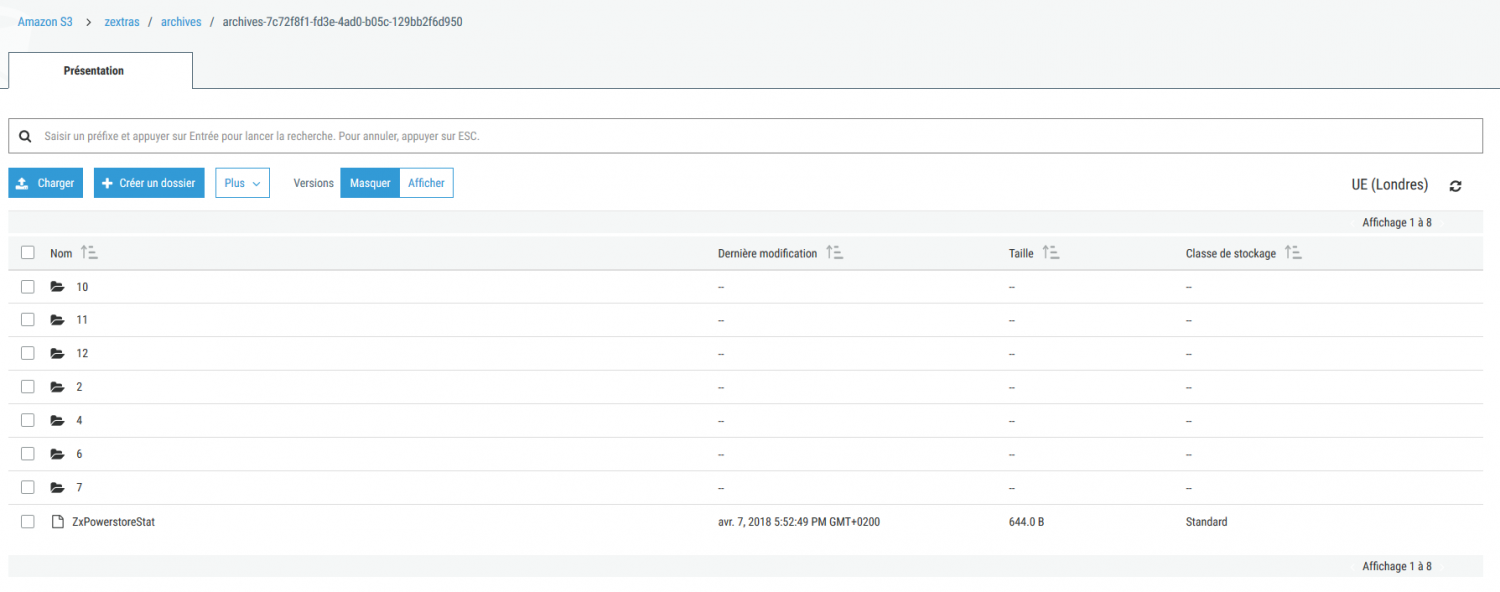
It's also possible to perform item deduplication in order to save space on volume 1:
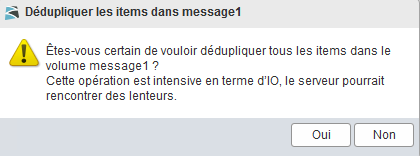
We've added an AWS volume in Zextras PowerStore and performed item deduplication in Zimbra.