

Go through installing VMware Workstation 10. Use a powerful virtualization tool on Linux.
Real-world use case
You want to run test VMs on your Arch Linux machine: here's how to install VMware Workstation 10.
This article explains how to install: VMware Workstation 10 on Arch Linux.
VMware Workstation lets you virtualize various operating systems, and it lets me manage my VMware ESXi 5.1 hypervisor within Workstation 10, it's really handy!
Downloading VMware Workstation 10
Head to the official VMware website to download the installation bundle:
- Download the bundle directly with Firefox: VMware Workstation 10 for Linux (64-bit).
- Download the bundle directly with wget:
wget http://www.vmware.com/go/tryworkstation-linux-64-fr
Starting the VMware Workstation 10 installation
Once the installation bundle is on your Linux machine, you'll need to make the file executable:
chmod +x VMware-Workstation-Full-10.0.1-1379776.x86_64
Start the installation in console mode with the following command:
./VMware-Workstation-Full-10.0.1-1379776.x86_64 --console
The command's result, with the usage license (hold down the space bar):
 Extracting VMware Installer...done.
You must accept the VMware Workstation End User License Agreement to
continue.  Press Enter to proceed.
                       VMWARE END USER LICENSE AGREEMENT
Accept the terms of the agreement:
Do you agree? [yes/no]: yes
The VMware Workstation service directory:
System service scripts directory (commonly /etc/init.d).:
There's still a problem: "init.d" has been replaced by "systemd" on Arch Linux for a while now.
You'll need to create the "/etc/init.d" directory in order to continue the installation.
Creating a directory for the VMware Workstation service:
mkdir /etc/init.d
Allow checking for product updates on VMware Workstation startup:
Would you like to check for product updates on startup? [yes]: yes
Allow sending anonymous information to VMware's servers:
Would you like to help make VMware software better by sending
anonymous system data and usage statistics to VMware? [yes]: yes
Allow the root user to launch the Workstation server:
 Please enter the user that will initially connect to Workstation
Server. Without setting this correctly, you will not be able to share
VMs with other users. Additional users and administrators can be
configured later in Workstation by selecting "Shared VMs" and clicking
"Permissions".  [root]:
Choose the storage directory for my virtual machines:
Please choose a directory for your shared virtual machines.
[/var/lib/vmware/Shared VMs]: /home/ffonaissak/Workstation/
Choose the Workstation server's listening port:
Please enter the port to use for https access to Workstation Server.
(HTTPS port:) [443]:
I don't use a web server on my machine, feel free to change the port number.
Add the VMware Workstation product license:
Enter license key. (optional) You can enter this information later.:
Quick tip: the education store offers the license for €125 instead of €225!
You can also find valid VMware Workstation 10 keys all over the web (#notcool!)
The installation process finishes (press "Enter"):
The product is ready to be installed.  Press Enter to begin
installation or Ctrl-C to cancel.
Here's the installation result:
Installing VMware VMX 6.0.1
Configuring...No rc*.d style init script directories were given to the installer.
You must manually add the necessary links to ensure that the vmware    ]  50%
service at /etc/init.d/vmware is automatically started and stopped on
Installing VMware Workstation 10.0.1
Configuring...
[######################################################################] 100%
Installation was successful.
VMware Workstation 10's installation is officially complete; however, when launching VMware Workstation, this message appears:
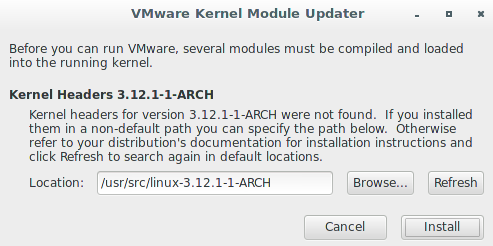
To avoid the kernel problem, I need to install a "vmware-patch" patch, provided on AUR.
Post-installation with: vmware-patch:
Download "vmware-patch":
yaourt -S vmware-patch
Once the installation is complete, run the following command:
vmware-patch
The following result appears:
==> Patching VMware Workstation v10.0.1 for kernel 3.12.1-1-ARCH..
  -> [vmblock]
==> Installing modules..
==> Done.
Start the vmware service with "init.d":
/etc/init.d/vmware start
For those who prefer, you can manage the process with a "Systemd service": see the official wiki.
Then all you need to do is manually launch Workstation via your launcher.
The expected result is this:
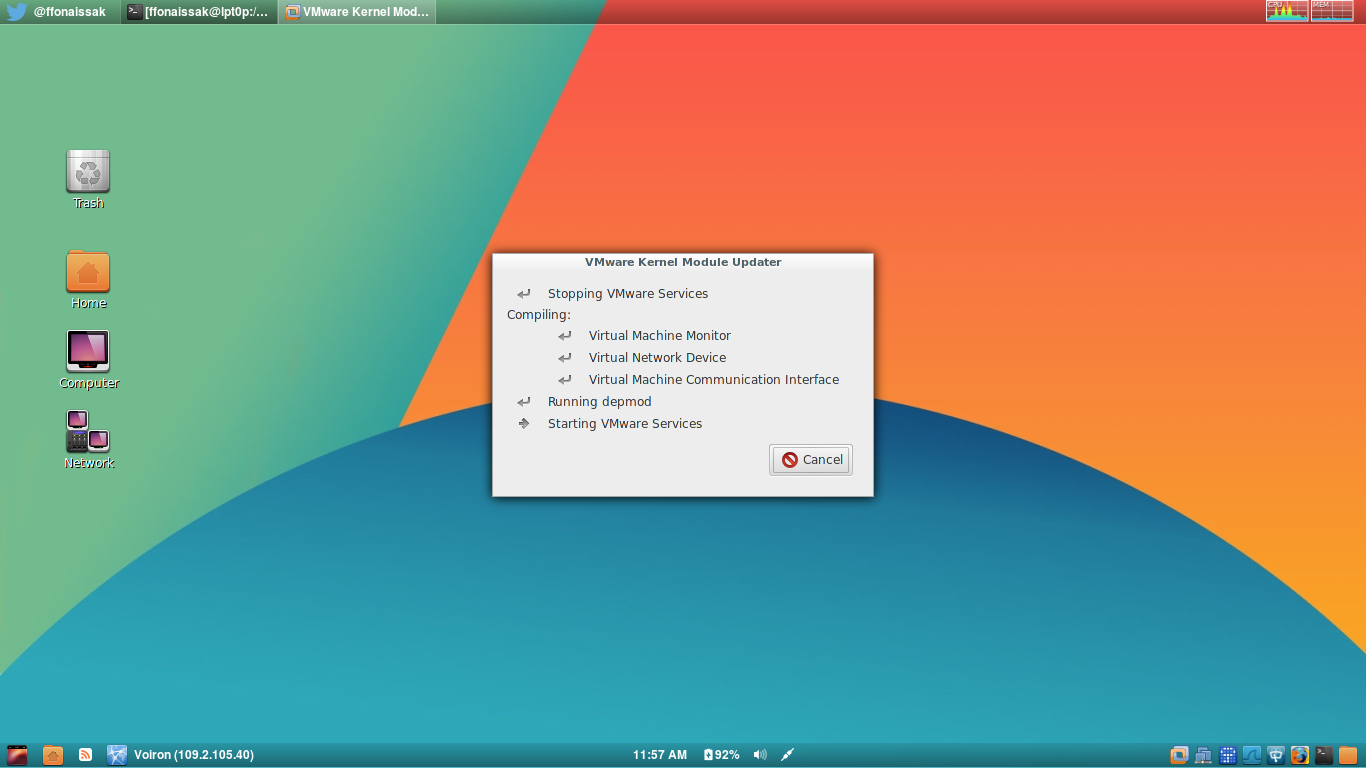
Once launched, VMware Workstation 10 is working.
Conclusion
I've detailed in this article how to install VMware Workstation 10 on Arch Linux, from downloading the bundle to resolving the conflict caused by the missing /etc/init.d directory, replaced by systemd. Applying the vmware-patch (available on AUR) was essential to ensure compatibility with the Linux kernel and allow the VMware modules to load. This installation now lets me manage my ESXi hypervisor directly from Workstation, which greatly simplifies my daily use.