Strengthening the security of an IIS 8.5 web server. Let's Encrypt Windows certificate, protocols, ciphers, hashes, and key exchange.
Real-world use case
You're exposing an IIS web server on the Internet: here's how to strengthen its security, version 8.5.
The security of a web server
The security of a web server is often overlooked. Here are some of my IIS hardening methods, for a web server running version 8.5 on Windows Server 2012 R2 Standard.
To start, you need to understand the SSL/TLS protocol and how it works. Personally, here are the tools/methods I use to strengthen a web server:
- Signed certificate: I've only used the Let's Encrypt authority since 2015, with a 3076-bit RSA key (2048-bit is still tolerated until 2030).
- Elliptic-curve Diffie-Hellman key exchange: ECDHE key exchanges should be favored with the following curves: secp256r1, secp384r1, secp521r1, brainpoolP256r1, brainpoolP384r1, or brainpoolP512r1.
- Header restriction: limit REST information disclosure.
- Request logging: for tracking in case of an incident.
- IP address and domain restrictions / Dynamic restrictions (anti-DoS).
- Endpoint Detection and Response (on the Windows server).
Hardening an IIS 8.5 web server
Signed certificate: Let's Encrypt on Windows
- Download the latest available version of win-acme on your server: link
- Unzip the archive on the server
- Run wacs.exe, then: "N", then "1", and choose your IIS site (domain validation via port 80).
- Your website is then certified by a valid authority.
- Check the IIS bindings and the certificates used.
Protocols, ciphers, hashes, and key exchange
Download: IIS Crypto
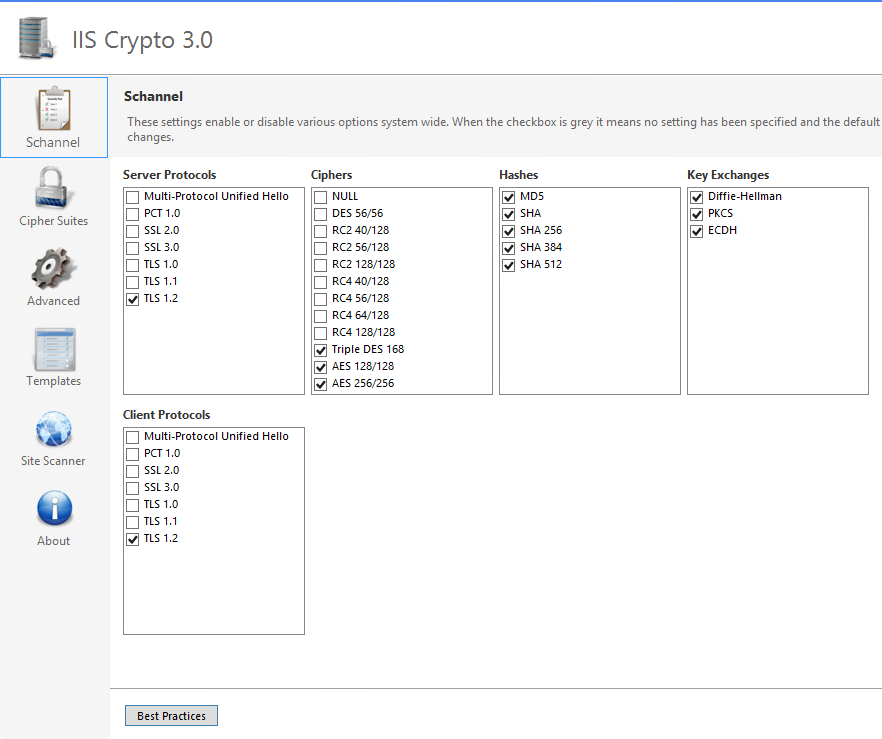
Run the program.
Here's my configuration:
In the Cipher Suites section, here are my preferences:
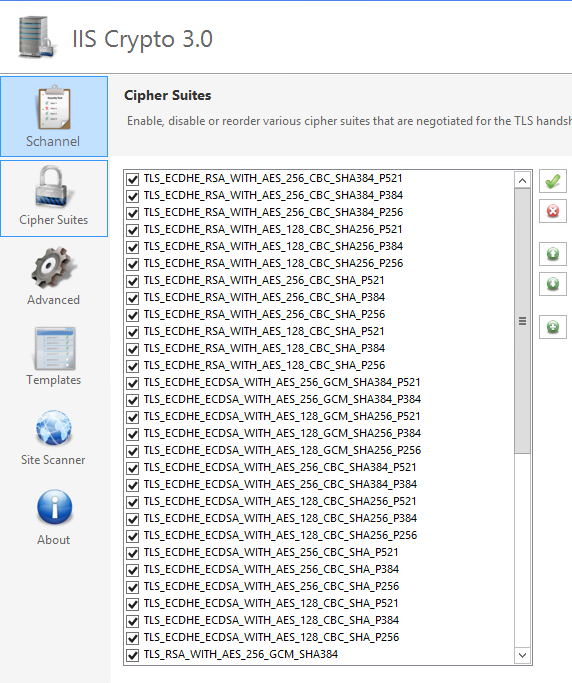
Confirm your choices and restart the Windows server.
Limiting fingerprinting
In the IIS server, go to: HTTP Response Headers (here's my configuration):
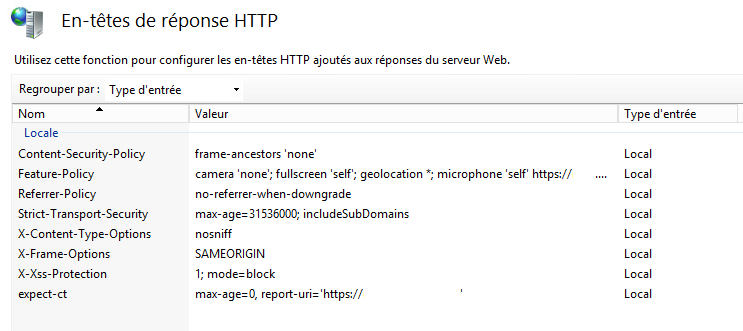
I strongly encourage you to research each directive (e.g., Content-Security-Policy).
More verbose logs
To get more information about the requests received by your sites, go to the Logging tab:
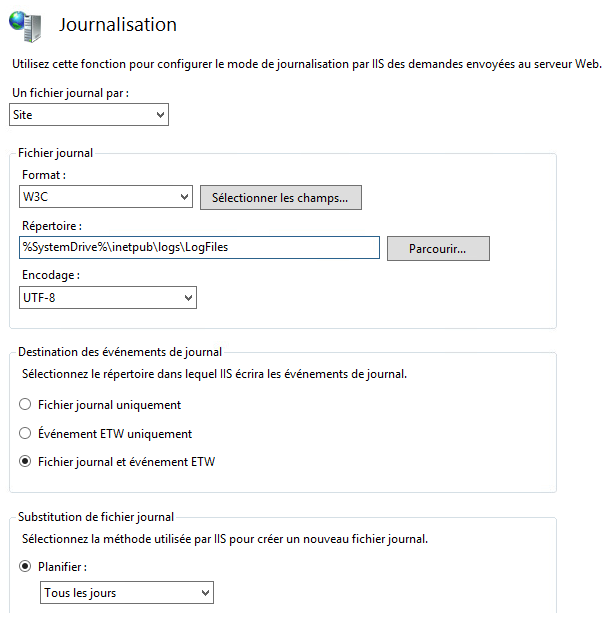
The logs are more verbose and useful in the event of a server issue.
IP address and domain restrictions
In the IP Address and Domain Restrictions tab, I mainly use dynamic restriction:
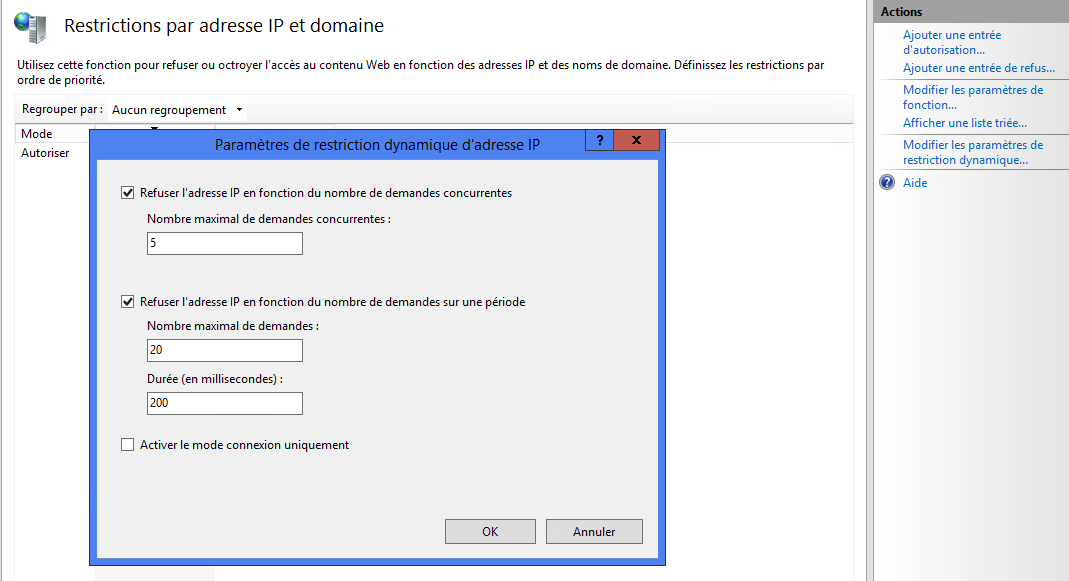
Endpoint Detection and Response (optional)
Unusual behavior on a web server is often a sign of attack attempts. EDR lets you monitor the machine's behavior. I currently use the Bitdefender EDR solution. For more information: external EDR article.
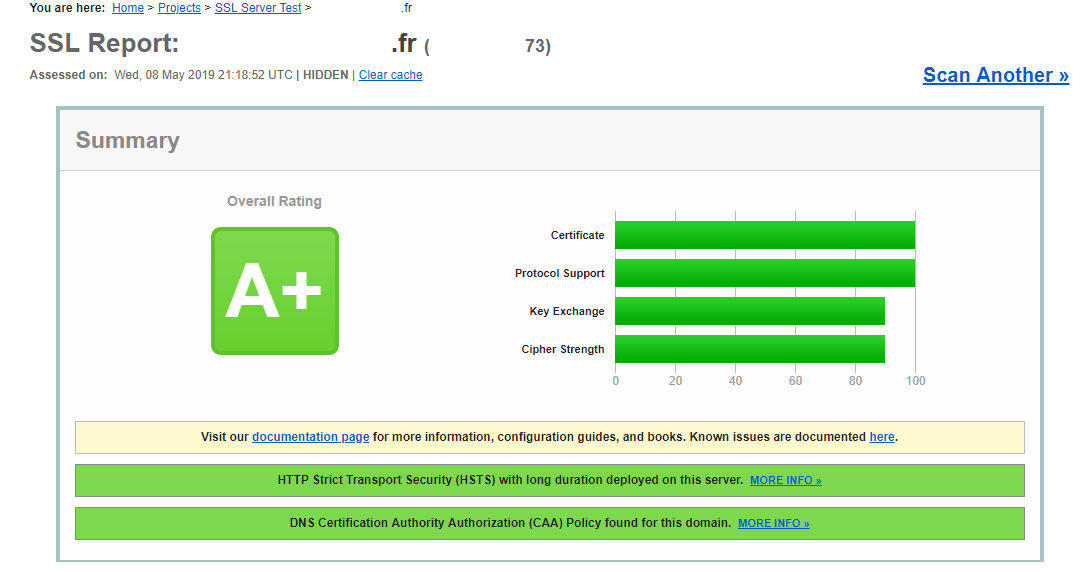
Once your IIS web server is hardened, you should get the following result on ssllabs.com: